
STL (3D Printing)
Preço antes do pagamento.stl · application/sla
Exporta edifícios de cidades para o formato STL para impressão 3D. Os edifícios são extrudidos para 3D usando dados de altura das tags OSM. STL binário para ficheiros compactos, prontos para importação em slicers.
Dados do OpenStreetMap de 5 de outubro de 2026 · há 22 dias
Exportar STL agora
✨ Beta Aberta — gratuito, sem limites
Principais características
✓Edifícios 3D com alturas
✓STL binário e ASCII
✓Placa de base para impressão
✓Fator de escala
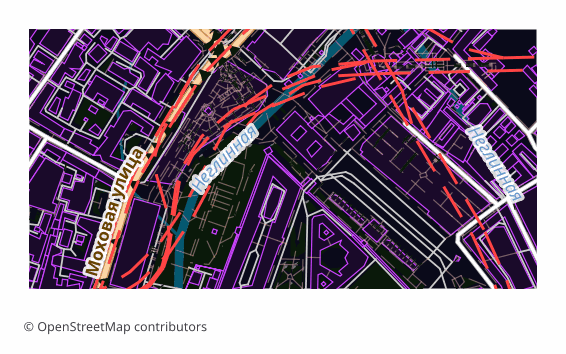
Todos os exemplos de mapas por formato
Que programa abre ficheiros STL
Os seguintes programas e aplicações podem abrir, editar e trabalhar com ficheiros STL (3D Printing) (.stl) exportados do OSM2CDR:
Cura
PrusaSlicer
Blender
MeshLab
Meshmixer
Fusion 360
Características do formato
- Padrão aberto
- Suporta coordenadas 3D
- Sem perda de qualidade
- Sem atributos
- Resultado: 1 arquivo
- STL binário. Edifícios extrudados na sua altura (2,5D). Unidades: metros (escala 1:1). Abre no Blender, Meshmixer, Cura e PrusaSlicer para impressão 3D. O terreno sob os edifícios é plano (z = 0): o relevo não é aplicado; use o formato Terrain Mesh separadamente.
Quem utiliza mapas STL
Impressão 3D de cidades
Maquetas à escala
Modelos arquitetónicos
Recordações
Ensino
Como exportar para STL
1
Selecionar área
Desenhe um retângulo ou polígono no mapa interativo em osm2cdr.ru
2
Escolher STL
Selecione STL (3D Printing) na lista de 127 formatos de exportação disponíveis
3
Exportar
Clique em Exportar e receba o seu ficheiro .stl em 1-5 minutos
4
Descarregar
Descarregue o ficheiro STL pronto e abra-o no Cura
Mapas populares em STL
Free
Obtenha exportações de mapas em STL (3D Printing)
Descarregue mapas profissionais em STL a partir do OpenStreetMap. Geração instantânea, qualquer área.
Gratuito / exportação
Exportar STL agora →
Perguntas frequentes
Posso imprimir isto em 3D? ▼
De onde vêm as alturas dos edifícios? ▼