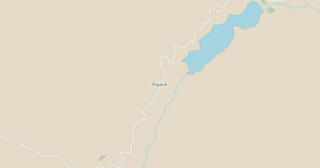
Map of Paşacık in FlatGeobuf format
A map built from OpenStreetMap data, ready to download
Customize the map
Open this place's area in the constructor and adjust everything to your needs
Open in constructor →Map passport
What this map contains by default
This is how the map is built as-is — every setting can be changed in the constructor.
.fgb
About FlatGeobuf
Map of Paşacık in FlatGeobuf: 1 buildings, 6.8 km of roads, 1 points of interest — in the WGS 84 coordinate system, units are meters.
Which layers are in the file
This file for the selected area contains:
- Roads
- Buildings
- Water
- Points of interest
Geometry by layer
- Roads — lines (LineString) with OpenStreetMap tags
- Buildings — polygons (Polygon) with OpenStreetMap tags
- Water — waterbody polygons and watercourse lines with tags
- Points of interest — points (Point) with names and tags
What the file carries
The FlatGeobuf file for Paşacık: the whole map comes as a single file, the file is binary — it is opened by a program, not by an editor, all features lie in one collection, and the source layer name stays in the _layer field, OpenStreetMap tags are kept as feature attributes.
File size
The expected size of the FlatGeobuf file for Paşacık is about 512 KB; the exact size depends on the chosen layers and area.
Coordinate systems
WGS 84 (EPSG:4326), selectable in the wizard
Units
Meters (projected in the chosen coordinate system)
| Category | GIS |
| File extension | .fgb |
| Tier | Open Beta |
How to use FlatGeobuf for Paşacık
- QGIS 3.16 and newer (free) — drag the .fgb into the program window; the format is read by the standard GDAL, no plugins needed.
- Python — geopandas.read_file("map.fgb"); a filter on the _layer column splits the export back into the source layers.
- A web map — the flatgeobuf library for JavaScript reads the file by URL and loads only the visible area; it works with Leaflet, MapLibre and deck.gl.
Programs that open FlatGeobuf
FAQ: FlatGeobuf for Paşacık
Why is FlatGeobuf better than GeoJSON?
FlatGeobuf is binary, 2-5x smaller than GeoJSON, with instant access via spatial index.
Can I open FlatGeobuf in QGIS?
Yes, QGIS 3.16+ supports FlatGeobuf via GDAL.
How do I split the export back into layers?
All the layers sit in a single file, but every feature has a _layer attribute with the name of its source layer. Filtering on it in QGIS, GeoPandas or JavaScript returns the individual layers.
Which coordinate system does the data arrive in?
WGS84 (EPSG:4326) — latitude and longitude in degrees. OpenStreetMap attributes are preserved as feature fields.
Does the file have to be on a server for range requests to work?
For partial reading over the network — yes: the hosting must support HTTP Range and return CORS headers. Locally an .fgb opens like an ordinary file, and the spatial index works without a server too.