แผนที่ OSM: รับ CDR (CorelDRAW) แทนการแปลง OpenStreetMap → CDR
ต้องการเปลี่ยนแผนที่จาก OpenStreetMap เป็น CDR อยู่ใช่ไหม หากข้อมูลของคุณมาจาก OpenStreetMap คุณไม่จำเป็นต้องมีไฟล์ OpenStreetMap กลาง osm2cdr สร้างแผนที่ขึ้นมาตรงจากแหล่งต้นทาง OSM แล้วส่งมอบ CDRซึ่งเปิดได้ใน CorelDRAW ที่พร้อมใช้ให้คุณ ซึ่งเร็วกว่าและแม่นยำกว่าขั้นตอน "ดาวน์โหลด OpenStreetMap → อัปโหลดเข้าตัวแปลง → ได้ CDR" เพียงเลือกพื้นที่บนแผนที่ เลือกรูปแบบ CDR แล้วดาวน์โหลดผลลัพธ์ที่มาพร้อมข้อมูล OSM ล่าสุดและเลเยอร์ของอาคาร ถนน แหล่งน้ำ และฟีเจอร์ต่าง ๆ
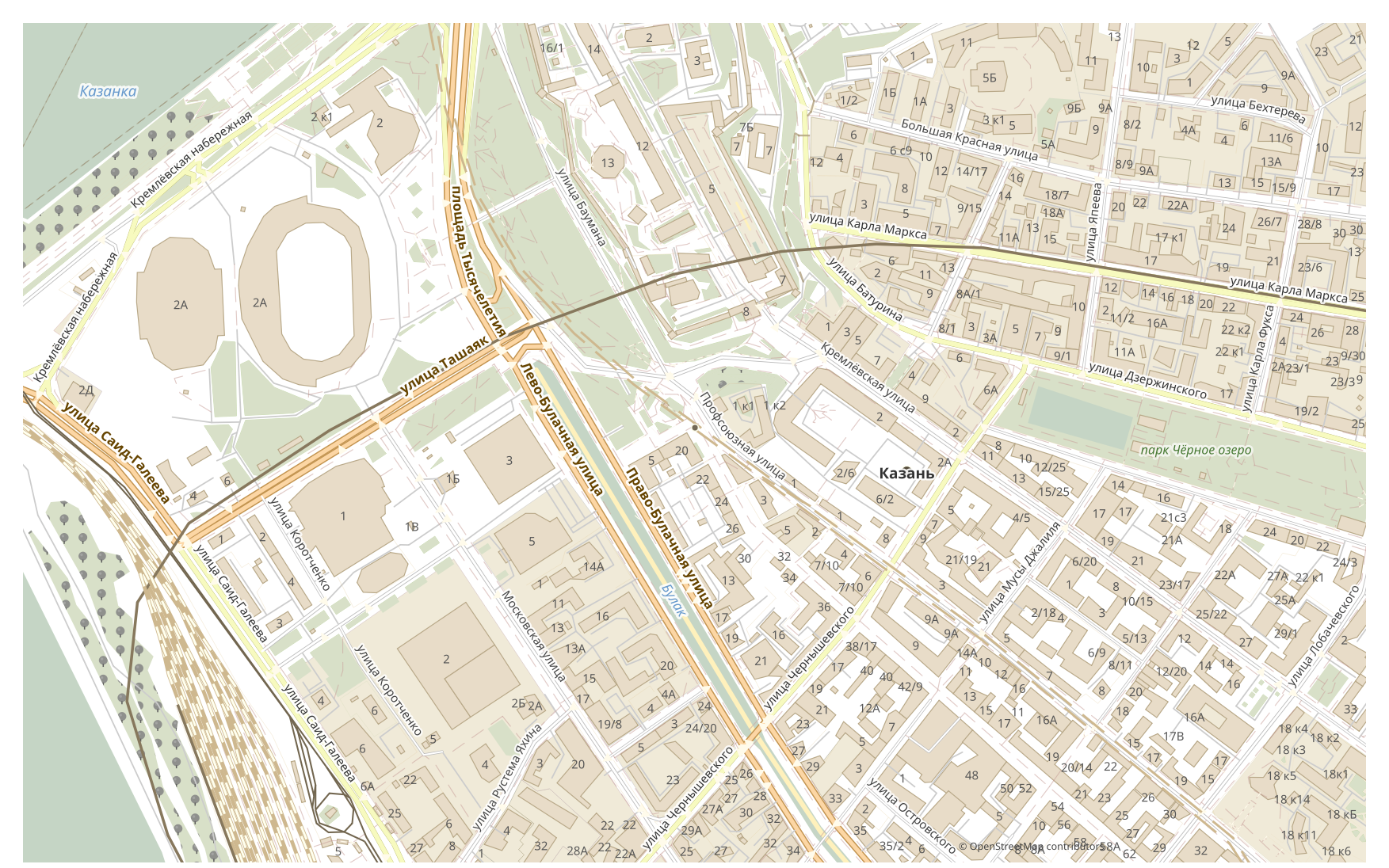
OpenStreetMap ต่างจาก CDR อย่างไร
| รูปแบบ | นามสกุลไฟล์ | ประเภท | วัตถุประสงค์ |
|---|---|---|---|
| OpenStreetMap | .osm / .pbf | ข้อมูลภูมิศาสตร์ OSM | แหล่งที่มาของแผนที่: ถนน อาคาร POI ขอบเขต |
| CDR | .cdr | CAD | Advertising maps, print production, outdoor signage, brochure design with maps, plotter cutting |
วิธีรับ CDR บน osm2cdr
- 1เลือกพื้นที่บนแผนที่ในหน้าแรกของ osm2cdr
- 2เลือกรูปแบบ CDR และเลือกสไตล์กับระบบพิกัด หากต้องการ
- 3คลิกส่งออกแล้วดาวน์โหลดไฟล์ CDR ที่พร้อมใช้
คุณสมบัติของรูปแบบ CDR
| นามสกุลไฟล์ | .cdr |
| ประเภท | CAD |
| วัตถุประสงค์ | Advertising maps, print production, outdoor signage, brochure design with maps, plotter cutting |
เมื่อใดที่คุณต้องการ CDR
รูปแบบ CDR มีประโยชน์เมื่อคุณต้องการเปิดผลลัพธ์ในโปรแกรมเฉพาะทางและทำงานกับแผนที่ต่อ ไม่ว่าจะเป็นการแก้ไข พิมพ์ วิเคราะห์ หรือฝังลงในโปรเจกต์ osm2cdr ส่งมอบ CDR ที่แยกออกเป็นเลเยอร์พร้อมข้อมูล OpenStreetMap ล่าสุด ไฟล์จึงพร้อมใช้งานทันทีหลังดาวน์โหลด
อะไรเปลี่ยนไปเมื่อแปลง OpenStreetMap → CDR
แหล่งข้อมูลแรกคือข้อมูลภูมิศาสตร์ OpenStreetMap ที่เชื่อมต่ออยู่ จึงไม่จำเป็นต้องมีไฟล์ OpenStreetMap กลาง แผนที่จะปรากฏใน CDR เป็นกราฟิกเวกเตอร์ที่จัดสไตล์แล้ว วัตถุยังคงเป็นเส้นโค้งและเลเยอร์ที่แก้ไขได้ พร้อมสำหรับงานพิมพ์และงานออกแบบ ตารางคุณลักษณะของ OSM จะไม่ถูกถ่ายโอนมา CDR เก็บเรขาคณิตและสไตล์ ไม่ใช่ฐานข้อมูล
ต้องการข้อมูล OpenStreetMap ดิบใช่ไหม
หากคุณทำงานกับข้อมูลส่วนย่อย OpenStreetMap ของตัวเอง ไม่ว่าจะเป็น PBF หรือ XML ดิบ คุณแปลงเป็น CDR เองได้ โดยดาวน์โหลดข้อมูลส่วนย่อยระดับภูมิภาคจาก Geofabrik หรือดึงพื้นที่ผ่าน Overpass API แล้วแปลงข้อมูลด้วย GDAL/ogr2ogr หรือ QGIS โดยเปิดไฟล์ดัมป์แล้วบันทึกเลเยอร์เป็น CDR วิธีนี้ฟรีและทำงานในเครื่อง แต่หากคุณเพียงต้องการผลลัพธ์ที่พร้อมใช้โดยไม่ต้องใช้บรรทัดคำสั่ง osm2cdr ทำสิ่งเดียวกันนี้ให้คุณ เพียงเลือกพื้นที่บนแผนที่ เลือกรูปแบบ CDR แล้วดาวน์โหลดไฟล์ที่มาพร้อมข้อมูล OSM ล่าสุดได้ทันที ไฟล์ดัมป์ของคุณและ osm2cdr ใช้แหล่งต้นทางเดียวกันทุกประการ
คำถามที่พบบ่อย: OpenStreetMap → CDR
ฉันอัปโหลดไฟล์ OpenStreetMap ของตัวเองได้ไหม
ยังไม่ได้ ขณะนี้เรายังไม่รองรับการอัปโหลดไฟล์ OpenStreetMap ดังนั้นโปรดแปลงไฟล์ของคุณเป็น CDR ด้วย ogr2ogr หรือ QGIS และหากข้อมูลของคุณมาจาก OpenStreetMap คุณไม่จำเป็นต้องมีไฟล์เลย เพราะ osm2cdr ส่งออกแผนที่เป็น CDR ได้โดยตรง
ฟรีไหม
ใช่ การส่งออกแผนที่ OpenStreetMap เป็น CDR บน osm2cdr นั้นฟรี เพียงเลือกพื้นที่ เลือกรูปแบบ CDR แล้วดาวน์โหลดผลลัพธ์
โปรแกรมใดเปิด CDR ได้บ้าง
รูปแบบ CDR เปิดได้ในโปรแกรมเฉพาะทางสำหรับหมวดของมัน ดูรายการทั้งหมดและรายละเอียดได้ที่หน้ารูปแบบ CDR
ทำไมวิธีนี้จึงดีกว่าตัวแปลง OpenStreetMap → CDR แบบออนไลน์
ตัวแปลงออนไลน์จำกัดคุณภาพของผลลัพธ์ไว้ที่คุณภาพของไฟล์ต้นฉบับ OpenStreetMap osm2cdr นำข้อมูลจากแหล่งต้นทาง OpenStreetMap มาสร้าง CDR พร้อมเลเยอร์ที่ถูกต้องโดยตรง โดยไม่มีการสูญเสียบนไฟล์ OpenStreetMap กลาง