
KMZ (Compressed KML)
Open BetaKMZ ist die komprimierte Version von KML für Google Earth. Enthält alle Geodaten in einer einzigen kompakten Datei, praktisch zum Versenden per E-Mail und zum Hochladen.
Hauptmerkmale
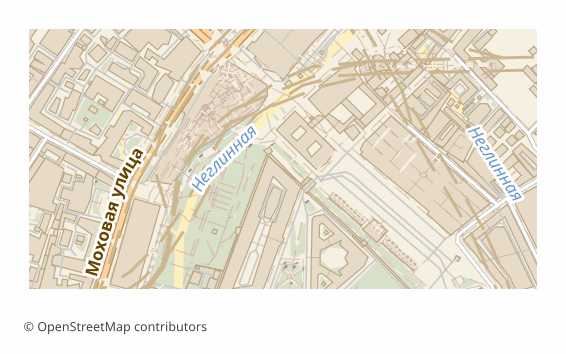
Über das Format KMZ
KMZ ist dasselbe KML, verpackt in ein ZIP-Archiv. Darin liegt die Datei doc.kml, bei Bedarf zusammen mit Symbolen und Bildern. Google Earth und GIS-Programme arbeiten damit genauso wie mit gewöhnlichem KML — entpacken müssen Sie nichts.
Der Sinn des Formats sind Dateigröße und Vollständigkeit. Das textbasierte KML schrumpft um ein Vielfaches, deshalb lässt sich die Datei leichter per E-Mail verschicken, in die Cloud legen oder an den Auftraggeber übergeben. Und es ist eine Datei statt eines ganzen Satzes: Unterwegs geht nichts verloren.
Der Inhalt stimmt vollständig mit dem KML-Export überein: Die Ebenen sind in Ordner gegliedert, die OSM-Tags liegen im Block ExtendedData, die Koordinaten sind WGS84, die Gebäude sind nach den Höhen aus den Tags räumlich extrudiert, die übrigen Ebenen liegen am Boden an.
Öffnet sich in Google Earth, Google My Maps, QGIS und ArcGIS. Wenn Sie hineinsehen möchten, können Sie die Datei in .zip umbenennen und mit einem beliebigen Packprogramm entpacken — heraus kommt gewöhnliches KML.
Programme zum Öffnen von KMZ-Dateien
Die folgenden Programme können KMZ (Compressed KML)-Dateien (.kmz) öffnen, bearbeiten und verarbeiten, die aus OSM2CDR exportiert wurden:
Format-Spezifikationen
- Offener Standard
- 3D-Koordinaten unterstützt
- Verlustfrei
- Speichert Objektattribute
- Ausgabe: 1 Datei
- Compressed KML (.kmz = zip of KML + assets). Smaller download than KML; same Google Earth / ArcGIS / QGIS support.
Wer nutzt KMZ-Karten
So exportieren Sie KMZ
Nach dem Export öffnen
- Google Earth Pro (kostenlos) — Doppelklick auf die .kmz, die Karte öffnet sich sofort mit allen Ebenen.
- Google My Maps — der Import nimmt KMZ genauso an wie KML: Es entsteht eine Webkarte mit Link.
- QGIS (kostenlos) — Vektorlayer hinzufügen und die .kmz auswählen: GDAL liest das Archiv direkt, Entpacken ist nicht nötig.
- Hineinschauen — die Datei in .zip umbenennen und entpacken: Darin liegt die doc.kml, die sich im Texteditor bearbeiten lässt.
Beliebte Karten in KMZ
KMZ (Compressed KML)-Kartenexport
Laden Sie professionelle KMZ-Karten aus OpenStreetMap herunter. Sofortige Generierung, beliebiges Gebiet.
Häufig gestellte Fragen
Mit anderen Formaten vergleichen
Konvertierung nach KMZ und zurück
KMZ-Anleitungen
What people who already downloaded say
Reviews are quoted in the language their authors wrote them in.
Наконец-то карты можно скачать в векторе. Автору спасибо!
всё очень круто, не ожидал что просто приду и скачаю кусочек карты! спасибо!!!
ОГРОМНОЕ СПАСИБО!!! ОЧЕНЬ ХОРОШАЯ ПРОГРАММА!!! Искал карту в векторе на стыке 3 стран - очень помогло!!
Ты - молодец! Сделал большое и нужное дело!
Иван, спасибо огромное! Не просто человек - Человечище!
иван, вы просто чудо. Спасибо за неимоверно крутой сервис
Относительно быстро и качественно собирает карты, самое приятно что бесплатно. удобно выбирать области
Verwandte Formate
Häufig zusammen exportiert
Related Articles
Уношу карту в лес: пять проверок оффлайн-файла до выхода из дома
tutorialOSM maps for Navitel: how it actually works
OSM maps for Navitel: why OpenStreetMap data cannot be dropped into the app directly, where map files go (the NavitelCon
tutorialKML and KMZ to DWG: Moving a Google Earth File into AutoCAD
How to convert KML or KMZ into DWG and DXF without losing coordinates: unpacking KMZ, reprojecting to metres in QGIS or