
CorelDRAW CDR
Preço antes do pagamento.cdr · application/x-cdr
CDR — exportação em Beta Aberta através de uma importação simples de SVG no CorelDRAW. Descarregue o SVG (instantâneo), abra no CorelDRAW: Ficheiro → Importar → selecione o ficheiro .svg. Todas as camadas, cores e rótulos são preservados como vetores. Este é o fluxo de trabalho padrão dos designers — demora 30 segundos. Guia passo a passo: /formats/cdr/instructions/.
Dados do OpenStreetMap de 5 de outubro de 2026 · há 26 dias
Exportar CDR agora
✨ Beta Aberta — gratuito, sem limites
Principais características
✓SVG → Ficheiro → Importar no CorelDRAW
✓Camadas, cores e rótulos — tudo preservado
✓30 segundos da transferência ao ficheiro .cdr
✓Passo a passo em /formats/cdr/instructions/
✓Step-by-step at /formats/cdr/instructions/
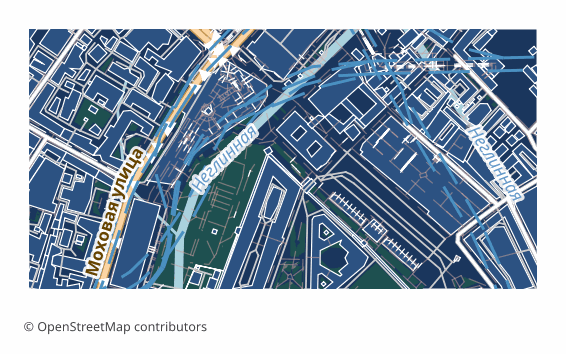
Todos os exemplos de mapas por formato
Que programa abre ficheiros CDR
Os seguintes programas e aplicações podem abrir, editar e trabalhar com ficheiros CorelDRAW CDR (.cdr) exportados do OSM2CDR:
CorelDRAW
Inkscape
LibreOffice Draw
Características do formato
- Formato proprietário
- Apenas 2D
- Sem perda de qualidade
- Sem atributos
- Resultado: 1 arquivo
- Um único arquivo .cdr. Abre direto no CorelDRAW com clique duplo ou Arquivo → Abrir. As camadas chegam como grupos com nome e as cores são CMYK de dispositivo sem perfil ICC: o preto e os cinzas ficam só na chapa K. Os nomes dos objetos ficam em uma camada própria, «Feature names», como objetos invisíveis com nome que aparecem na janela Objetos.
Quem utiliza mapas CDR
Importação de SVG no CorelDRAW (30 segundos)
Plantas arquitetónicas
Projetos de design para impressão
Mapa vetorial editável
Editable vector map
Como exportar para CDR
1
Selecionar área
Desenhe um retângulo ou polígono no mapa interativo em osm2cdr.ru
2
Escolher CDR
Selecione CorelDRAW CDR na lista de 127 formatos de exportação disponíveis
3
Exportar
Clique em Exportar e receba o seu ficheiro .cdr em 1-5 minutos
4
Descarregar
Descarregue o ficheiro CDR pronto e abra-o no CorelDRAW
Mapas populares em CDR
Free
Obtenha exportações de mapas em CorelDRAW CDR
Descarregue mapas profissionais em CDR a partir do OpenStreetMap. Geração instantânea, qualquer área.
Gratuito / exportação
Exportar CDR agora →
Perguntas frequentes
Porque é que o CDR utiliza uma importação de SVG? ▼
Como abro o mapa no CorelDRAW? ▼
O .cdr direto alguma vez estará disponível? ▼