
GeoPackage (GPKG)
Price before paymentGeoPackage — geomaʼlumotlarni bitta SQLite'ga asoslangan faylda saqlash uchun zamonaviy OGC format. Eskirgan Shapefile'ning oʻrnini bosadi, bir konteynerda vektor va rastr qatlamlarni qoʻllab-quvvatlaydi.
OpenStreetMap data as of 5 October 2026 · 25 days ago
Asosiy imkoniyatlar
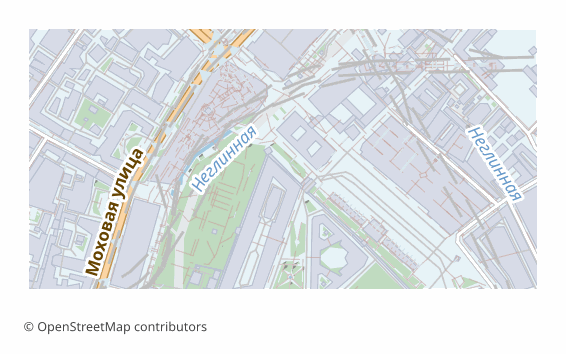
GeoPackage formati haqida
GeoPackage is an OGC standard adopted in 2014. Under the hood it is an ordinary SQLite database in which layers, geometry and metadata are laid out by the standard's rules. A single .gpkg file can hold any number of vector layers, rasters, styles and tables without geometry.
It was devised as the replacement for the shapefile, and it cured all of its ailments: field names of any length, UTF-8 with no tricks, no set of companion files that must never be separated, and no two-gigabyte limit. Today GeoPackage is the default format in QGIS and the standard exchange unit in many organizations.
Each map layer becomes a separate table with its own OpenStreetMap attributes and a spatial index that is built automatically. Coordinates are WGS84 (EPSG:4326). All of it in one file: convenient to send, to put in the cloud or to take with you into the field.
You can also work with it as a database: a .gpkg opens in any SQLite client, and ordinary SQL queries apply to the layers.
GeoPackage fayllarini qaysi dastur ochadi
Quyidagi dasturlar va ilovalar OSM2CDR’dan eksport qilingan GeoPackage (GPKG) (.gpkg) fayllarini ochishi, tahrirlashi va ular bilan ishlashi mumkin:
Format specifications
- Open standard
- 3D coordinates supported
- Lossless (no quality loss)
- Stores feature attributes
- Output: 1 file
- OGC GeoPackage (SQLite). Single .gpkg file contains all layers. Direct import in QGIS 3.x, ArcGIS Pro, GDAL/OGR.
GeoPackage xaritalaridan kimlar foydalanadi
GeoPackage ni qanday eksport qilish kerak
Eksportdan keyin qanday ochish kerak
- QGIS (free) — drag the .gpkg into the program window; a list of layers appears, tick the ones you need. Edits are saved right into that same file.
- ArcGIS Pro — Add Data, choose the .gpkg: the feature classes connect as if from a geodatabase.
- ogr2ogr — ogrinfo -so map.gpkg shows the list of layers, and ogr2ogr -f PostgreSQL PG:"..." map.gpkg loads them all into PostGIS in one command.
- Python — geopandas.read_file("map.gpkg", layer="roads"); the list of layers comes from fiona.listlayers.
- Field apps — QField, Mergin Maps and the like take a .gpkg as an offline source: one file on the phone, and the map works with no network.
GeoPackage formatidagi mashhur xaritalar
GeoPackage (GPKG) xarita eksportlarini oling
OpenStreetMap’dan professional GeoPackage xaritalarini yuklab oling. Bir zumda yaratish, istalgan hudud.
Tez-tez beriladigan savollar
Boshqa formatlar bilan solishtirish
Convert to GeoPackage and back
GeoPackage guides and tutorials
Aloqador formatlar
Tez-tez birga eksport qilinadi
Related Articles
GeoPackage — Modern SQLite Format for GIS: What It Is and How to Export from OpenStreetMap
Deep guide to GeoPackage: open OGC standard on SQLite, single-file ecosystem for vector, raster, tiles and QML styles, S
formatQGIS Project QGZ vs QGS: What Is Inside and How to Build It
Inside QGIS project files: the XML of QGS, the ZIP with QGD in QGZ, relative layer paths, styles, layouts and a project
guideHow to download a map from OpenStreetMap: all the ways
All working ways to download a map from OpenStreetMap: export from osm.org, the Overpass API, Geofabrik and planet.osm,