
EPS (Encapsulated PostScript)
Price before paymentEPS este un format vectorial profesional pentru producția de tipar și editare. Acceptă culori CMYK și este ideal pentru tipografii și edituri.
OpenStreetMap data as of 5 October 2026 · 26 days ago
Caracteristici principale
Despre formatul EPS
EPS (Encapsulated PostScript) is Adobe's vector format from the late 1980s, built on the PostScript page description language. It was conceived as an "embeddable picture" for layout work: the file carries its own BoundingBox and drops into an InDesign or QuarkXPress page as a finished object. Over three decades EPS became the common language of prepress — almost any print shop accepts it.
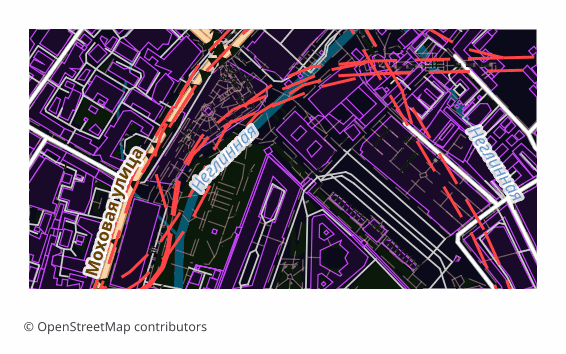
Maps are exported to EPS when they are meant to be printed rather than viewed on screen: a directions map in a booklet, a site plan on a poster, an inset in a travel guide, a background for a label. Vectors scale without any loss of quality, so the same file works for a business card and for a banner alike.
The output is a single .eps file: a map page assembled in a QGIS layout and translated into PostScript Level 3 through Ghostscript. Raster elements are rendered at 300 DPI, the default sheet is A4 landscape. PostScript has no transparency, so semi-transparent fills are converted in advance into the equivalent opaque color over the page background — the picture matches what you saw on screen, and the vector stays a vector.
Color arrives in the model the layout was built in, that is, in RGB. Conversion to CMYK, applying a print profile and setting up overprint happen later in prepress — in Illustrator, InDesign or Scribus, tuned to a particular print shop and paper.
Ce program deschide fișierele EPS
Următoarele programe și aplicații pot deschide, edita și prelucra fișiere EPS (Encapsulated PostScript) (.eps) exportate din OSM2CDR:
Format specifications
- Open standard
- 2D only
- Lossless (no quality loss)
- No attributes
- Output: 1 file
- Encapsulated PostScript (Ghostscript eps2write) in RGB — the conversion to CMYK is a prepress step. Labels arrive as Type 3 bitmap glyphs, not editable text, which makes the file markedly heavier than PDF — take PDF or AI if the text must stay editable. Opens in Illustrator, CorelDRAW, Inkscape.
Cine folosește hărțile EPS
Cum se exportă EPS
Cum se deschide fișierul după export
- Adobe Illustrator — File → Open; the map opens as an editable vector, and from there you can edit labels and add your own graphics.
- CorelDRAW — Import (Ctrl+I); if it matters that label typefaces stay exactly as they are, choose the option that imports text as curves.
- InDesign, QuarkXPress, Scribus — don't "open" it, Place it on the page: EPS lands as an illustration with its own BoundingBox and does not disturb your layout.
- Inkscape (free) — opens EPS if Ghostscript is installed on the system; if it isn't, it is easier to download SVG or PDF from us — the content is exactly the same.
- Before sending to a print shop — convert the document to CMYK and check with your printer about the profile, the resolution of raster inserts and overprint requirements: inside the EPS itself the colors stay as the layout was built.
Hărți populare în EPS
Obține exporturi de hărți EPS (Encapsulated PostScript)
Descarcă hărți EPS profesionale din OpenStreetMap. Generare instantanee, orice zonă.
Întrebări frecvente
Compară cu alte formate
Convert to EPS and back
EPS guides and tutorials
Formate înrudite
Exportate frecvent împreună
Related Articles
EPS — Encapsulated PostScript: Maps for Old-School Print Workflows
Deep guide to EPS: PDF's predecessor from Adobe, versions 1.2-3.0 since 1987, how to make an EPS map from OpenStreetMap
tutorialExport OpenStreetMap to Illustrator: a clean vector map in a couple of minutes
How to get an OpenStreetMap map into Adobe Illustrator as real vectors: which format to download, how to open it, and wh
comparisonWhich Map Format to Choose for Print and Design: PDF, SVG, AI, EPS, CDR
Decision tree for choosing an OSM map format for design and typography print: PDF, SVG, AI, EPS, CDR, PNG, TIFF. Step by