
GLB (Binary glTF)
Preço antes do pagamento.glb · model/gltf-binary
GLB é a variante binária do formato glTF. Toda a cena 3D (geometria, materiais, texturas) é empacotada num único ficheiro compacto. Carregamento mais rápido e tamanho menor em comparação com glTF com recursos separados.
Dados do OpenStreetMap de 5 de outubro de 2026 · há 25 dias
Exportar GLB agora
✨ Beta Aberta — gratuito, sem limites
Principais características
✓Ficheiro binário único
✓Edifícios 3D com alturas
✓Materiais PBR
✓Tamanho de ficheiro compacto
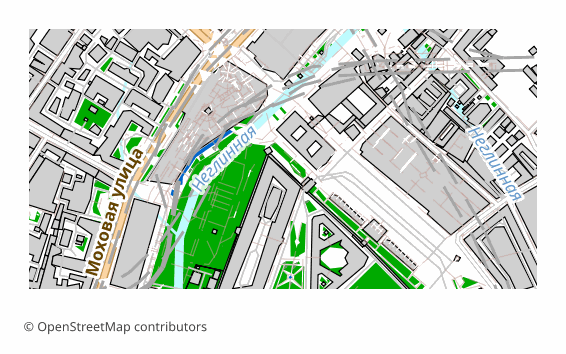
Todos os exemplos de mapas por formato
Que programa abre ficheiros GLB
Os seguintes programas e aplicações podem abrir, editar e trabalhar com ficheiros GLB (Binary glTF) (.glb) exportados do OSM2CDR:
Blender
three.js
Babylon.js
Unity
Unreal Engine
Windows 3D Viewer
Características do formato
- Padrão aberto
- Suporta coordenadas 3D
- Sem perda de qualidade
- Guarda os atributos dos objetos
- Resultado: 1 arquivo
- Contêiner binário glTF 2.0 (.glb). Um único arquivo autônomo com a malha e as texturas. Ideal para RA/RV e 3D na web. O terreno sob os edifícios é plano (z = 0): o relevo não é aplicado; use o formato Terrain Mesh separadamente.
Quem utiliza mapas GLB
Visualização 3D na web
Aplicações de RA/RV
Motores de jogo
Mapas 3D móveis
Redes sociais (publicações 3D)
Como exportar para GLB
1
Selecionar área
Desenhe um retângulo ou polígono no mapa interativo em osm2cdr.ru
2
Escolher GLB
Selecione GLB (Binary glTF) na lista de 127 formatos de exportação disponíveis
3
Exportar
Clique em Exportar e receba o seu ficheiro .glb em 1-5 minutos
4
Descarregar
Descarregue o ficheiro GLB pronto e abra-o no Blender
Mapas populares em GLB
Free
Obtenha exportações de mapas em GLB (Binary glTF)
Descarregue mapas profissionais em GLB a partir do OpenStreetMap. Geração instantânea, qualquer área.
Gratuito / exportação
Exportar GLB agora →
Perguntas frequentes
Qual é a diferença entre GLB e glTF? ▼
Posso abrir GLB no Windows? ▼