FBX 🎮

FBX (Game Engines)

Open Beta
.fbx · application/octet-stream

Exporta edifícios 3D para o formato FBX para motores de jogos. Suportado em Unity, Unreal Engine, Maya e 3ds Max. Sistema de coordenadas Y-up para compatibilidade com motores de jogos.

Exportar FBX agora ✨ Beta Aberta — gratuito, sem limites

Principais características

Compatível com Unity/Unreal
Coordenadas Y para cima
Materiais por tipo
Malhas de edifícios
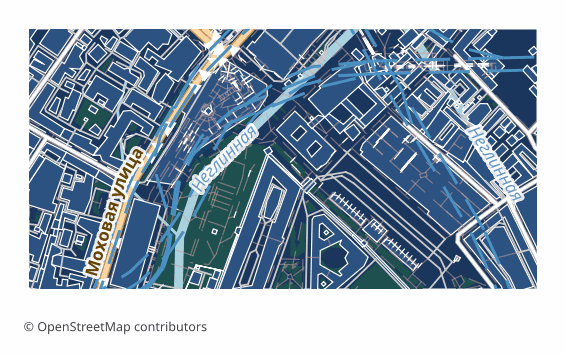
Example FBX export (central Moscow, 1x0.5 km)
Example: central Moscow, ~1×0.5 km, medium detail

Sobre o formato FBX

FBX is a 3D scene exchange format that Autodesk bought in 2006 and turned into the common language between Maya, 3ds Max, MotionBuilder, Unity, Unreal Engine and Blender. It can carry geometry, materials, object hierarchy, cameras and animation; for urban development it is the geometry part that is used.

The export is for when a city has to end up inside an engine or a 3D package: a game level prototype based on a real district, a VR walk, an architectural visualization with genuine surroundings, an urban traffic simulation. Modeling a city block by hand takes longer than taking ready-made OpenStreetMap outlines.

Only buildings go into the scene. Every building outline is extruded to its own height: first the height tag is used, and if it is missing, building:levels multiplied by 3 meters; if that is missing too, a neutral default of about 9 meters is applied. Optionally a flat base is placed under the buildings; there is no terrain relief in the file.

Coordinates are converted to meters relative to the center of the selected area, with the Y axis pointing up — which means the model lands in Unity and Unreal at the right scale and orientation. The file is a genuine binary FBX; if the build fails, the export honestly ends with an error instead of slipping you another format under an .fbx extension.

Que programa abre ficheiros FBX

Os seguintes programas e aplicações podem abrir, editar e trabalhar com ficheiros FBX (Game Engines) (.fbx) exportados do OSM2CDR:

🎮Unity 🎮Unreal Engine 🎲Maya 🎲3ds Max 🎲Blender 💻Cinema 4D

Format specifications

Quem utiliza mapas FBX

🏗
Desenvolvimento de jogos
A real city block as the basis for a game level: the building outlines are ready, all that is left is to apply materials.
💻
RV/RA
A model of a district for a VR walk or an AR scene that needs a recognizable city skyline.
📊
Animação
Urban surroundings for animated clips and fly-throughs in Maya, 3ds Max or Blender.
🎨
Visualização
Architectural visualization with real context: a new object among existing buildings.
🗺
Simulações urbanas
City geometry for traffic simulations, signal propagation and other calculations inside an engine.

Como exportar para FBX

1
Selecionar área
Desenhe um retângulo ou polígono no mapa interativo em osm2cdr.ru
2
Escolher FBX
Selecione FBX (Game Engines) na lista de 127 formatos de exportação disponíveis
3
Exportar
Clique em Exportar e receba o seu ficheiro .fbx em 1-5 minutos
4
Descarregar
Descarregue o ficheiro FBX pronto e abra-o no Unity

Como abrir depois da exportação

Mapas populares em FBX

Free

Obtenha exportações de mapas em FBX (Game Engines)

Descarregue mapas profissionais em FBX a partir do OpenStreetMap. Geração instantânea, qualquer área.

Gratuito / exportação
Exportar FBX agora →

Perguntas frequentes

Funciona no Unity?
Inclui materiais?
Where do the building heights come from?
What besides buildings gets into the scene?
At what scale does the model arrive?

Comparar com outros formatos

Formatos relacionados

Frequentemente exportados em conjunto

Related Articles