3DS 🎬

3DS (Autodesk 3ds Max)

Open Beta
.3ds · application/x-3ds

Exporta edifícios 3D para 3DS — o formato legado do Autodesk 3ds Max. Suportado pela maioria dos editores 3D. Limitação: 65535 vértices por objeto.

Exportar 3DS agora ✨ Beta Aberta — gratuito, sem limites

Principais características

Divisão automática de malha
Orientação Y para cima
Plano de base
Materiais coloridos
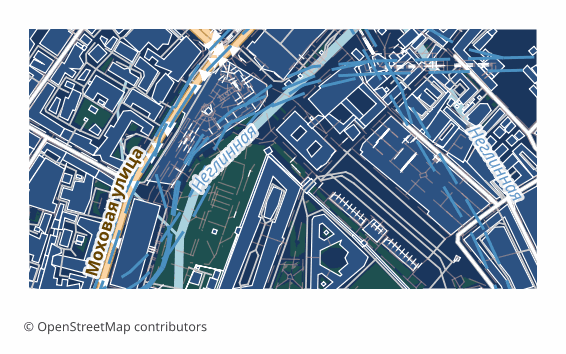
Example 3DS export (central Moscow, 1x0.5 km)
Example: central Moscow, ~1×0.5 km, medium detail

Sobre o formato 3DS

3DS is the binary scene format of Autodesk 3ds Max, born back in the days of the DOS version of 3D Studio. It gave way to FBX and glTF long ago, but it remained the common denominator: almost every 3D editor and viewer reads it, including very old builds that modern formats are out of reach for.

An OSM map is exported to 3DS when you need volume rather than analytics: a rough massing of a block for architectural visualization, a backdrop for a game scene, a quick model of a district for rendering. The format stores no geographic coordinates and no attributes — it is pure geometry that you drop into your own scene and paint with your own materials.

The output is a single .3ds file: buildings extruded from OSM outlines by height or floor count, plus a flat base underneath them. The scene is centered on the selected area and measured in meters, and the orientation is converted to Y-up, as is customary in 3ds Max. Color comes from a simple diffuse material based on the building type; the format carries no textures and no PBR materials.

3DS has a hard limit of 65535 vertices per object, so large stretches of development are automatically split into several meshes inside a single scene. The overall scene budget is capped so the file stays openable: if you need a whole city with all its detail, glTF or FBX is the better choice.

Que programa abre ficheiros 3DS

Os seguintes programas e aplicações podem abrir, editar e trabalhar com ficheiros 3DS (Autodesk 3ds Max) (.3ds) exportados do OSM2CDR:

🎲3ds Max 🎲Blender 🔬MeshLab 🎨SketchUp 💻Cinema 4D 🎲Maya

Format specifications

Quem utiliza mapas 3DS

🏗
Visualização 3D
A ready city massing for rendering: buildings stand on a base, all that is left is to place the camera and the light.
💻
Design de jogos
A backdrop and environment for a game scene — light geometry without textures that is easy to optimize for an engine.
📊
Visualização arquitetónica
The surrounding built context around a designed object for visualizations and presentations.
🎨
Importação para o 3ds Max
Direct import into 3ds Max with no converters: the format is native to it.

Como exportar para 3DS

1
Selecionar área
Desenhe um retângulo ou polígono no mapa interativo em osm2cdr.ru
2
Escolher 3DS
Selecione 3DS (Autodesk 3ds Max) na lista de 127 formatos de exportação disponíveis
3
Exportar
Clique em Exportar e receba o seu ficheiro .3ds em 1-5 minutos
4
Descarregar
Descarregue o ficheiro 3DS pronto e abra-o no 3ds Max

Como abrir depois da exportação

Mapas populares em 3DS

Free

Obtenha exportações de mapas em 3DS (Autodesk 3ds Max)

Descarregue mapas profissionais em 3DS a partir do OpenStreetMap. Geração instantânea, qualquer área.

Gratuito / exportação
Exportar 3DS agora →

Perguntas frequentes

Porquê 65535 vértices?
Devo usar antes o FBX?
What goes into the 3DS file?
What units and orientation does the scene arrive in?
Are there textures and materials?

Formatos relacionados

Frequentemente exportados em conjunto

Related Articles