
CorelDRAW CDR
Price before paymentCDR — CorelDRAW에서 간단한 SVG 가져오기를 통한 오픈 베타 내보내기입니다. SVG를 내려받고(즉시) CorelDRAW에서 엽니다: 파일 → 가져오기 → .svg 파일 선택. 모든 레이어, 색상, 라벨이 벡터로 보존됩니다. 디자이너가 사용하는 표준 작업 방식이며 30초면 됩니다. 단계별 안내: /formats/cdr/instructions/.
OpenStreetMap data as of 5 October 2026 · 26 days ago
주요 기능
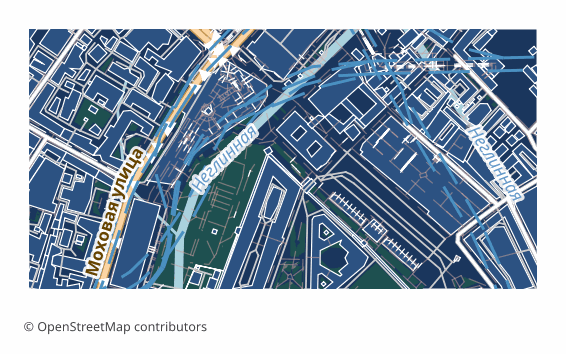
CDR 형식 소개
CDR is the working format of CorelDRAW. The export delivers a ready .cdr file: download it and open it with a double click — no import step, no converters, no intermediate formats. Layers arrive as separate named groups in the map's language, labels stay editable text, gradients and raster underlays are preserved.
The file's colours are device CMYK with no ICC profile — print colours out of the box: black and greys sit on the K plate alone, so labels and hair lines print in one pass with no registration trouble; the remaining colours are converted directly, and total ink coverage stays under 300 %. Your print shop's profile is unknown to the service — reseparate the file under it right in CorelDRAW (Tools → Color Management): a routine prepress step in the print industry.
Street and feature names arrive on an invisible layer of their own, “Feature names”, and are read in the Objects docker — clicking a building itself will not show its name. Characters the format's single-byte encoding cannot hold — Kazakh “қ” and “ә”, Greek, CJK — are written in Latin script so the name stays readable. When a ready .cdr cannot be built, the service ships a rare fallback ZIP: the map in SVG plus a step-by-step import guide.
CDR 파일을 여는 프로그램
다음 프로그램과 애플리케이션으로 OSM2CDR에서 내보낸 CorelDRAW CDR(.cdr) 파일을 열고 편집하고 작업할 수 있습니다:
Format specifications
- Proprietary format
- 2D only
- Lossless (no quality loss)
- No attributes
- Output: 1 file
- Single .cdr file. Opens in CorelDRAW directly — double-click or File → Open. Layers arrive as named groups, colours are device CMYK with no ICC profile — black and greys on the K plate alone. Feature names arrive on a layer of their own, “Feature names”, as invisible named objects you read in the Objects docker; clicking a building itself will not show its name.
CDR 지도 사용자
CDR 내보내기 방법
내보낸 뒤 여는 방법
- Open the downloaded file — double-click or File → Open; there will be no import dialogs, it is a native CorelDRAW document.
- Layers — in the Objects docker: every map layer arrived as a named group; hide what you don't need with one click.
- Feature names — a separate invisible layer, “Feature names”: the docker's search finds the street you need; the layer does not affect printing and can be deleted outright.
- Before handing off to a print shop — reseparate under its profile: Tools → Color Management; black and greys already sit on the K plate alone, total ink stays under 300 %.
- If a ZIP arrived (the rare fallback) — inside are map.svg and the INSTRUCTIONS.html guide: import the SVG and save to .cdr with CorelDRAW itself.
CDR 형식의 인기 지도
CorelDRAW CDR 지도 내보내기 받기
OpenStreetMap에서 전문가용 CDR 지도를 다운로드하세요. 즉시 생성, 모든 영역 지원.
자주 묻는 질문
다른 형식과 비교
Convert to CDR and back
관련 형식
함께 자주 내보내는 형식
Related Articles
CDR — CorelDRAW Format: a Ready .cdr File from an OSM Map, No Import Step
Deep guide to CDR: CorelDRAW's proprietary format since 1989, RIFF and ZIP structures, and how OSM2CDR delivers a ready
usecaseMap for CorelDRAW: get a vector city map in CDR
Need a city map for CorelDRAW? Don't redraw it by hand — download a ready vector map straight in .cdr with layers and cu
comparisonWhich Map Format to Choose for Print and Design: PDF, SVG, AI, EPS, CDR
Decision tree for choosing an OSM map format for design and typography print: PDF, SVG, AI, EPS, CDR, PNG, TIFF. Step by