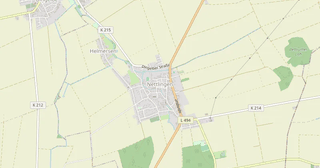
Download Heinde map in MBTiles format
A map built from OpenStreetMap data, ready to download
Customize the map
Open this place's area in the constructor and adjust everything to your needs
Open in constructor →Map passport
What this map contains by default
This is how the map is built as-is — every setting can be changed in the constructor.
.mbtiles
About MBTiles
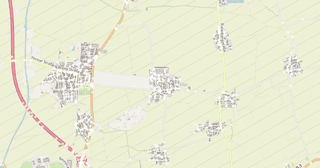
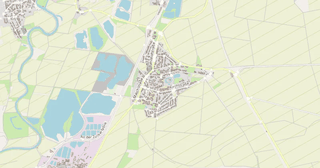
Map of Heinde in MBTiles: 771 buildings, 24 km of roads, 63 points of interest, 100% green areas — in the WGS 84 coordinate system, units are meters.
Which layers are in the file
This file for the selected area contains:
- Roads
- Buildings
- Water
- Greenery
- Points of interest
Geometry by layer
- Roads — drawn as lines in pixels, no separate features
- Buildings — drawn as filled pixels, no separate features
- Water — drawn as filled pixels
- Greenery — drawn as filled pixels
- Points of interest — drawn as icons in pixels
What the file carries
The MBTiles file for Heinde: layers are flattened into one picture: objects become pixels and cannot be selected separately, OpenStreetMap tags are not kept — geometry and styling remain.
File size
The expected size of the MBTiles file for Heinde is about 1.6 MB; the exact size depends on the chosen layers and area.
Coordinate systems
WGS 84 (EPSG:4326), selectable in the wizard
Units
Meters (projected in the chosen coordinate system)
| Category | GIS |
| File extension | .mbtiles |
| Tier | Open Beta |
How to use MBTiles for Heinde
- QGIS (free) — drag the .mbtiles into the program window or add it through the Browser panel: the layer will sit as a backdrop under your data.
- TileServer GL or mbview — run a local tile server over the file and get an address of the form /{z}/{x}/{y}.png for Leaflet, MapLibre and OpenLayers.
- mb-util — unpack the container into a plain folder tree z/x/y.png if your hosting can only serve static files: mb-util map.mbtiles tiles/.
Programs that open MBTiles
FAQ: MBTiles for Heinde
Why MBTiles over individual tiles?
One file instead of thousands -- easier to copy, serve, and use offline.
Are these raster or vector tiles?
Raster: PNG images drawn in the chosen style. They carry no feature attributes and cannot be restyled on your side -- MBTiles Vector is the format for that.
Can I open in QGIS?
Yes, QGIS opens this file as a raster tile source -- a basemap under your own layers.
How is this different from PMTiles?
MBTiles is a SQLite file, better for local and offline use. PMTiles is read over HTTP range requests, better for the cloud, and its tiles are vector.
Which tiles are inside — raster or vector?
Raster: 256x256 PNG images rendered on the server in the chosen style. Vector tiles, which are styled on the client, are delivered by our MVT and PMTiles formats.