نقشهٔ OSM: بهجای تبدیل SVG → Shapefile، خودِ Shapefile را بگیرید
میخواهید نقشهای را از SVG به Shapefile تبدیل کنید؟ اگر دادهتان از OpenStreetMap میآید، به یک فایل واسطهٔ SVG نیازی ندارید: osm2cdr نقشه را مستقیماً از منبع OSM میسازد و یک Shapefile آماده به شما تحویل میدهد. این از زنجیرهٔ «دانلود SVG ← بارگذاری در یک مبدل ← گرفتن Shapefile» سریعتر و دقیقتر است: شما یک ناحیه را روی نقشه برمیگزینید، قالب Shapefile را انتخاب میکنید و نتیجه را با دادهٔ بهروز OSM و لایههایی برای ساختمانها، جادهها، آب و عارضهها دانلود میکنید.
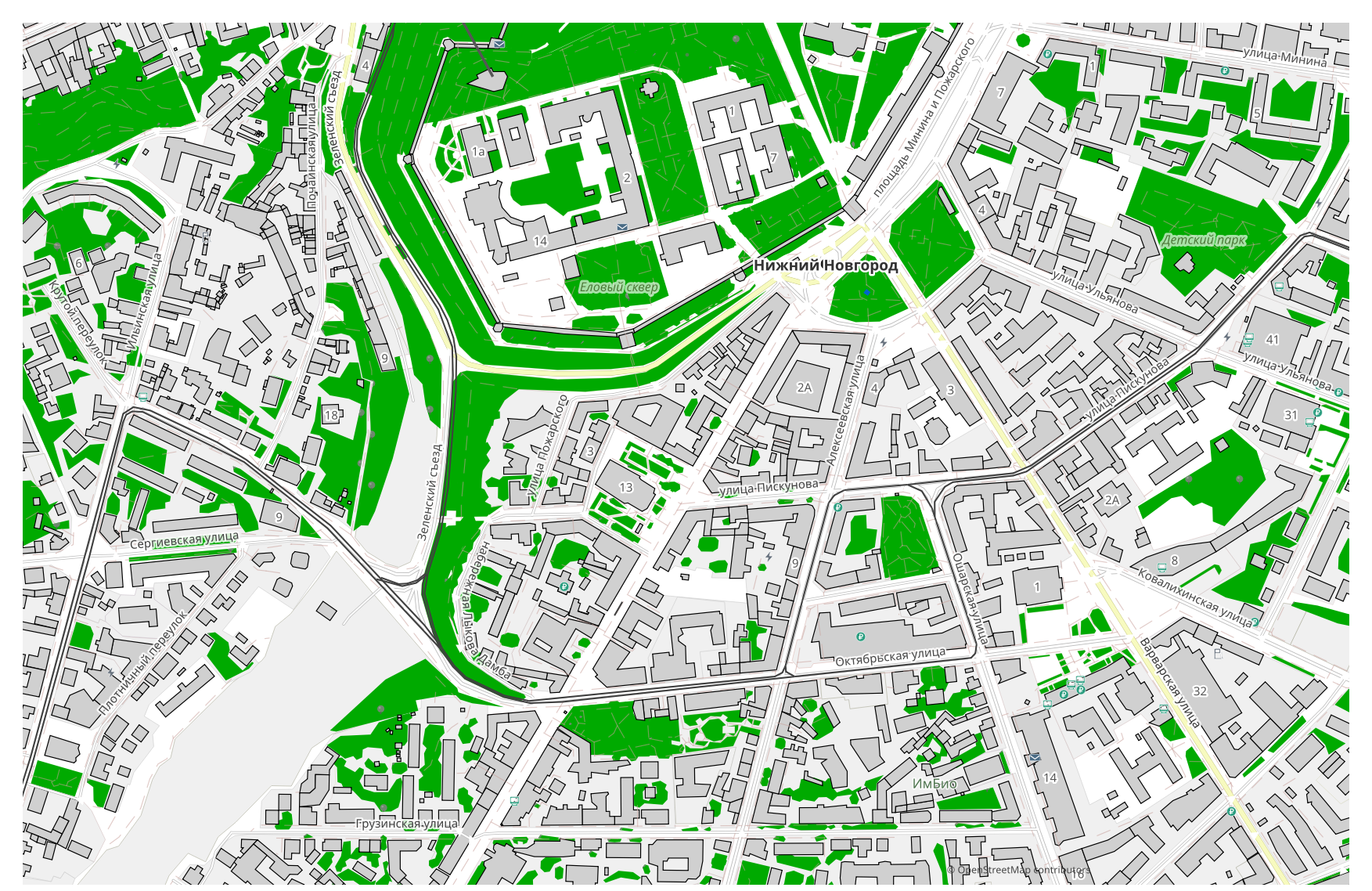
تفاوت SVG با Shapefile
| قالب | پسوند | نوع | کاربرد |
|---|---|---|---|
| SVG | .svg | Vector | Web design, infographics, poster printing, embedding maps on websites, map animation |
| Shapefile | .shp | GIS | ArcGIS, QGIS, spatial analysis, cartography |
چگونه Shapefile را در osm2cdr بگیریم
- 1یک ناحیه را روی نقشه در صفحهٔ خانهٔ osm2cdr انتخاب کنید
- 2قالب Shapefile و در صورت نیاز یک سبک و CRS را انتخاب کنید
- 3روی خروجی کلیک کنید و فایل آمادهٔ Shapefile را دانلود کنید
ویژگیهای قالب Shapefile
| پسوند | .shp |
| نوع | GIS |
| کاربرد | ArcGIS, QGIS, spatial analysis, cartography |
چه زمانی به Shapefile نیاز دارید
قالب Shapefile زمانی به کار میآید که میخواهید نتیجه را در یک برنامهٔ اختصاصی باز کنید و کار با نقشه را ادامه دهید: ویرایش، چاپ، تحلیل یا جایگذاری آن در یک پروژه. osm2cdr قالب Shapefile را تقسیمشده در لایهها همراه با دادهٔ بهروز OpenStreetMap تحویل میدهد، پس فایل بلافاصله پس از دانلود آمادهٔ استفاده است.
هنگام رفتن از SVG → Shapefile چه چیزی تغییر میکند
فایلهای SVG گرافیک را در خود دارند، در حالی که قالب GIS مقصد یعنی Shapefile اشیائی همراه با ویژگی و یک سامانهٔ مختصات انتظار دارد که SVG فاقد آن است. osm2cdr گرافیک شما را تجزیه نمیکند: دادهٔ جغرافیایی OpenStreetMap را برمیدارد و Shapefile را با اشیاء واقعی، لایهها و یک تصویر نقشهای برای تحلیل مکانی میسازد.
اگر فایل SVG خودتان را دارید (که از OSM نیست)
osm2cdr فایلهای SVG شخص ثالث را نمیپذیرد و تبدیل نمیکند: این سرویس تنها با دادهٔ OpenStreetMap کار میکند. اگر همین حالا فایل SVG خودتان را دارید که از OSM نیست، آن را با ابزارهای شخص ثالث به Shapefile تبدیل کنید: GDAL/ogr2ogr از خط فرمان یا QGIS — فایل SVG را باز کنید و لایه را بهصورت Shapefile ذخیره کنید. رایگان است و بهصورت محلی اجرا میشود، بدون هیچ بارگذاری در ابر.
پرسشهای پرتکرار: SVG → Shapefile
آیا میتوانم فایل SVG خودم را بارگذاری کنم؟
هنوز نه: در حال حاضر بارگذاری فایلهای SVG را پشتیبانی نمیکنیم، پس فایل خود را با ogr2ogr یا QGIS به Shapefile تبدیل کنید. و اگر دادهتان از OpenStreetMap میآید، اصلاً به فایل نیازی ندارید — osm2cdr نقشه را مستقیماً به Shapefile خروجی میدهد.
آیا رایگان است؟
بله، خروجیگرفتن نقشهٔ OpenStreetMap به Shapefile در osm2cdr رایگان است. یک ناحیه و قالب Shapefile را انتخاب کنید و نتیجه را دانلود کنید.
چه برنامههایی Shapefile را باز میکنند؟
قالب Shapefile در برنامههای اختصاصی دستهٔ خود باز میشود. برای فهرست کامل و جزئیات، صفحهٔ قالب Shapefile را ببینید.
چرا این بهتر از یک مبدل آنلاین SVG → Shapefile است؟
یک مبدل آنلاین کیفیت نتیجه را تا کیفیت فایل مبدأ SVG محدود میکند. osm2cdr داده را از منبع OpenStreetMap برمیدارد و Shapefile را با لایههای درست مستقیماً میسازد — بدون هیچ افتی روی فایل واسطهٔ SVG.