OSM வரைபடம்: GML → Shapefile மாற்றுவதற்குப் பதிலாக Shapefile பெறுங்கள்
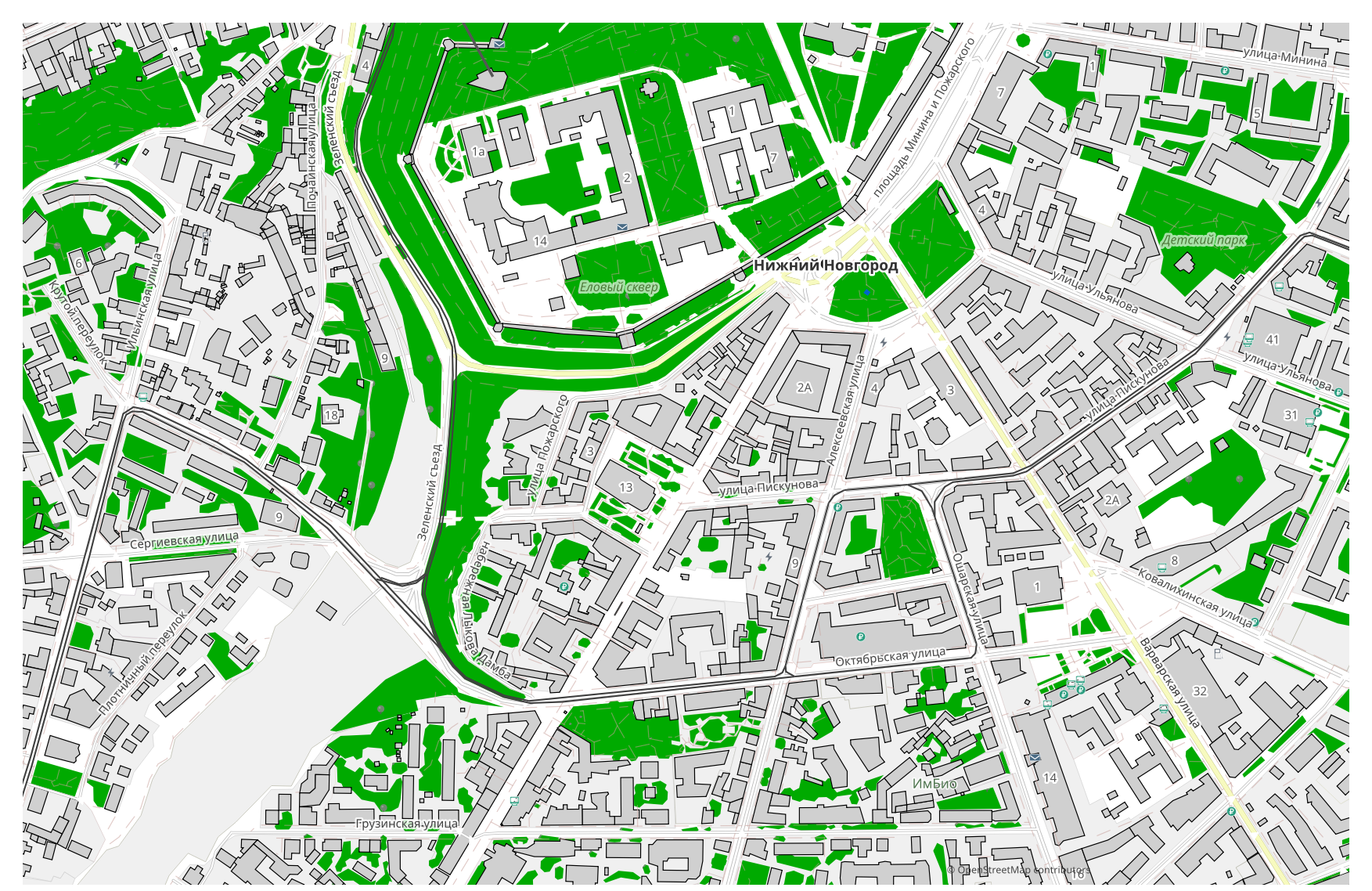
ஒரு வரைபடத்தை GML-லிருந்து Shapefile-ஆக மாற்ற விரும்புகிறீர்களா? உங்கள் தரவு OpenStreetMap-லிருந்து வந்தால், உங்களுக்கு இடைப்பட்ட GML கோப்பு தேவையில்லை: osm2cdr வரைபடத்தை OSM ஆதாரத்திலிருந்து நேரடியாக உருவாக்கி, தயார் Shapefile-ஐ உங்களிடம் தருகிறது. இது "GML பதிவிறக்கு → ஒரு மாற்றிக்குப் பதிவேற்று → Shapefile பெறு" என்ற சங்கிலியை விட வேகமானதும் துல்லியமானதும் ஆகும்: நீங்கள் வரைபடத்தில் ஒரு பகுதியைத் தேர்ந்தெடுத்து, Shapefile வடிவத்தைத் தேர்ந்தெடுத்து, புதுப்பித்த OSM தரவு மற்றும் கட்டிடங்கள், சாலைகள், நீர் மற்றும் அம்சங்களுக்கான அடுக்குகளுடன் முடிவைப் பதிவிறக்குகிறீர்கள்.
GML Shapefile-லிருந்து எவ்வாறு வேறுபடுகிறது
| வடிவம் | நீட்டிப்பு | வகை | நோக்கம் |
|---|---|---|---|
| GML | .gml | GIS | GIS data exchange, WFS services, government GIS standards, INSPIRE |
| Shapefile | .shp | GIS | ArcGIS, QGIS, spatial analysis, cartography |
osm2cdr-ல் Shapefile-ஐ எவ்வாறு பெறுவது
- 1osm2cdr முகப்புப் பக்கத்தில் வரைபடத்தில் ஒரு பகுதியைத் தேர்ந்தெடுக்கவும்
- 2Shapefile வடிவத்தையும், தேவைப்பட்டால் ஒரு பாணி மற்றும் CRS-ஐயும் தேர்ந்தெடுக்கவும்
- 3ஏற்றுமதி என்பதைச் சொடுக்கி, தயார் Shapefile கோப்பைப் பதிவிறக்கவும்
Shapefile வடிவ பண்புகள்
| நீட்டிப்பு | .shp |
| வகை | GIS |
| நோக்கம் | ArcGIS, QGIS, spatial analysis, cartography |
உங்களுக்கு Shapefile எப்போது தேவைப்படுகிறது
முடிவை ஒரு தனிப்பட்ட நிரலில் திறந்து வரைபடத்துடன் தொடர்ந்து வேலை செய்ய வேண்டியிருக்கும்போது Shapefile வடிவம் கைக்கு வரும்: திருத்துதல், அச்சிடல், பகுப்பாய்வு செய்தல் அல்லது ஒரு திட்டத்தில் உட்பொதித்தல். osm2cdr Shapefile-ஐ புதுப்பித்த OpenStreetMap தரவுடன் அடுக்குகளாகப் பிரித்து வழங்குகிறது, எனவே பதிவிறக்கத்திற்குப் பிறகு கோப்பு உடனடியாகப் பயன்படுத்தத் தயாராக இருக்கும்.
GML → Shapefile செல்லும்போது என்ன மாறுகிறது
GML → Shapefile செல்வது வடிவியல் மற்றும் பண்புக்கூறுகள் இரண்டையும் பாதுகாக்கிறது; கொள்கலன் மாதிரி மட்டுமே மாறுகிறது — ஒற்றைக் கோப்பு எதிராக ஒரு தொகுப்பு, ஆதரிக்கப்படும் புல வகைகள் மற்றும் வடிவ வரம்புகள். இத்தகைய மாற்றம் பொதுவாக ஒரு குறிப்பிட்ட கருவியுடன் இணக்கத்திற்காக செய்யப்படுகிறது. osm2cdr Shapefile-ஐ OpenStreetMap தரவிலிருந்து நேரடியாக, இடைப்பட்ட GML கோப்பு இல்லாமல் வழங்குகிறது.
உங்களிடம் சொந்த GML கோப்பு இருந்தால் (OSM-லிருந்து அல்ல)
osm2cdr மூன்றாம் தரப்பு GML கோப்புகளை ஏற்காது அல்லது மாற்றாது: இந்தச் சேவை OpenStreetMap தரவுடன் மட்டுமே வேலை செய்கிறது. OSM-லிருந்து வராத உங்கள் சொந்த GML கோப்பு ஏற்கனவே உங்களிடம் இருந்தால், மூன்றாம் தரப்புக் கருவிகளால் அதை Shapefile-ஆக மாற்றவும்: கட்டளை வரியிலிருந்து GDAL/ogr2ogr அல்லது QGIS — GML-ஐ திறந்து அடுக்கை Shapefile-ஆக சேமிக்கவும். இது இலவசம், மற்றும் கிளவுட் பதிவேற்றம் இல்லாமல் உள்ளூரிலேயே இயங்குகிறது.
அடிக்கடி கேட்கப்படும் கேள்விகள்: GML → Shapefile
எனது GML கோப்பைப் பதிவேற்ற முடியுமா?
இன்னும் இல்லை: தற்போது GML கோப்புகளைப் பதிவேற்றுவதை நாங்கள் ஆதரிக்கவில்லை, எனவே உங்கள் கோப்பை ogr2ogr அல்லது QGIS மூலம் Shapefile-ஆக மாற்றவும். உங்கள் தரவு OpenStreetMap-லிருந்து வந்தால், உங்களுக்கு கோப்பே தேவையில்லை — osm2cdr வரைபடத்தை நேரடியாக Shapefile-ஆக ஏற்றுமதி செய்கிறது.
இது இலவசமா?
ஆம், osm2cdr-ல் OpenStreetMap வரைபடத்தை Shapefile-ஆக ஏற்றுமதி செய்வது இலவசம். ஒரு பகுதியையும், Shapefile வடிவத்தையும் தேர்ந்தெடுத்து, முடிவைப் பதிவிறக்கவும்.
Shapefile-ஐ எந்த நிரல்கள் திறக்கின்றன?
Shapefile வடிவம் அதன் வகைக்கான தனிப்பட்ட நிரல்களில் திறக்கிறது. முழுப் பட்டியலுக்கும் விவரங்களுக்கும் Shapefile வடிவப் பக்கத்தைப் பார்க்கவும்.
இது ஒரு ஆன்லைன் GML → Shapefile மாற்றியை விட ஏன் சிறந்தது?
ஒரு ஆன்லைன் மாற்றி, முடிவின் தரத்தை அசல் GML கோப்பின் தரத்திற்கு வரம்பிடுகிறது. osm2cdr OpenStreetMap ஆதாரத்திலிருந்து தரவை எடுத்து, சரியான அடுக்குகளுடன் Shapefile-ஐ நேரடியாக உருவாக்குகிறது — இடைப்பட்ட GML கோப்பில் எந்த இழப்பும் இல்லாமல்.