
KMZ (Compressed KML)
Preço antes do pagamento.kmz · application/vnd.google-earth.kmz
KMZ é a versão comprimida de KML para o Google Earth. Inclui todos os geodados num único ficheiro compacto, prático para enviar por e-mail e carregar.
Dados do OpenStreetMap de 5 de outubro de 2026 · há 24 dias
Exportar KMZ agora
✨ Beta Aberta — gratuito, sem limites
Principais características
✓Formato comprimido compacto
✓Total compatibilidade com o Google Earth
✓Inclui estilos e ícones
✓Ficheiro único para tudo
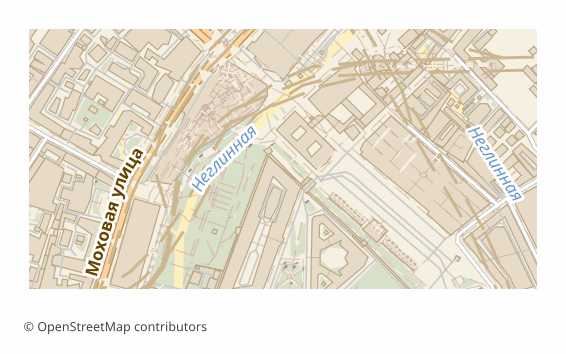
Todos os exemplos de mapas por formato
Que programa abre ficheiros KMZ
Os seguintes programas e aplicações podem abrir, editar e trabalhar com ficheiros KMZ (Compressed KML) (.kmz) exportados do OSM2CDR:
Google Earth
Google Maps
QGIS
ArcGIS
Características do formato
- Padrão aberto
- Suporta coordenadas 3D
- Sem perda de qualidade
- Guarda os atributos dos objetos
- Resultado: 1 arquivo
- KML compactado (.kmz = ZIP com o KML e os seus recursos). Download mais leve que o KML, com o mesmo suporte no Google Earth, ArcGIS e QGIS.
Quem utiliza mapas KMZ
Google Earth
Partilha de ficheiros
Mapas offline
Apresentações
Como exportar para KMZ
1
Selecionar área
Desenhe um retângulo ou polígono no mapa interativo em osm2cdr.ru
2
Escolher KMZ
Selecione KMZ (Compressed KML) na lista de 127 formatos de exportação disponíveis
3
Exportar
Clique em Exportar e receba o seu ficheiro .kmz em 1-5 minutos
4
Descarregar
Descarregue o ficheiro KMZ pronto e abra-o no Google Earth
Mapas populares em KMZ
Free
Obtenha exportações de mapas em KMZ (Compressed KML)
Descarregue mapas profissionais em KMZ a partir do OpenStreetMap. Geração instantânea, qualquer área.
Gratuito / exportação
Exportar KMZ agora →
Perguntas frequentes
Posso descompactar um ficheiro KMZ? ▼
O KMZ é menor do que o KML? ▼