
3DS (Autodesk 3ds Max)
Open BetaЕкспорт на 3D сгради в 3DS — наследения формат на Autodesk 3ds Max. Поддържа се от повечето 3D редактори. Ограничение: 65535 върха на обект.
OpenStreetMap data as of 24 August 2026 · 35 days ago
Основни характеристики
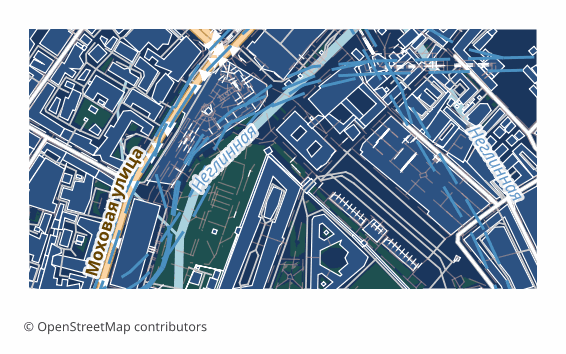
За формата 3DS
3DS is the binary scene format of Autodesk 3ds Max, born back in the days of the DOS version of 3D Studio. It gave way to FBX and glTF long ago, but it remained the common denominator: almost every 3D editor and viewer reads it, including very old builds that modern formats are out of reach for.
An OSM map is exported to 3DS when you need volume rather than analytics: a rough massing of a block for architectural visualization, a backdrop for a game scene, a quick model of a district for rendering. The format stores no geographic coordinates and no attributes — it is pure geometry that you drop into your own scene and paint with your own materials.
The output is a single .3ds file: buildings extruded from OSM outlines by height or floor count, plus a flat base underneath them. The scene is centered on the selected area and measured in meters, and the orientation is converted to Y-up, as is customary in 3ds Max. Color comes from a simple diffuse material based on the building type; the format carries no textures and no PBR materials.
3DS has a hard limit of 65535 vertices per object, so large stretches of development are automatically split into several meshes inside a single scene. The overall scene budget is capped so the file stays openable: if you need a whole city with all its detail, glTF or FBX is the better choice.
Коя програма отваря файлове 3DS
Следните програми и приложения могат да отварят, редактират и работят с файлове 3DS (Autodesk 3ds Max) (.3ds), експортирани от OSM2CDR:
Format specifications
- Proprietary format
- 3D coordinates supported
- Lossless (no quality loss)
- No attributes
- Output: 1 file
- Autodesk 3DS .3ds (legacy proprietary). Classic 3ds Max format from the early 1990s. Opens in 3ds Max, Blender, Cinema 4D.
Кой използва карти в 3DS
Как да експортирате 3DS
Как да отворите след експорта
- 3ds Max — File → Import → pick the .3ds; on import choose to merge the objects or keep the split into meshes, then assign your own materials.
- Blender — 3DS import comes with a built-in add-on (in some versions you have to enable it in the add-on settings); if the import is missing, take OBJ or glTF from us — they read without plugins.
- MeshLab and Cinema 4D — open .3ds directly, handy for a quick check of the geometry and the polygon count before loading it into a heavy editor.
- Scale check — the model arrives in meters and centered on the area; if the scene looks tiny or gigantic, compare your project units with meters and set a factor on import.
Популярни карти в 3DS
Получете експорти на карти в 3DS (Autodesk 3ds Max)
Изтеглете професионални карти в 3DS от OpenStreetMap. Незабавно генериране, всяка област.
Често задавани въпроси
What people who already downloaded say
Reviews are quoted in the language their authors wrote them in.
Наконец-то карты можно скачать в векторе. Автору спасибо!
всё очень круто, не ожидал что просто приду и скачаю кусочек карты! спасибо!!!
ОГРОМНОЕ СПАСИБО!!! ОЧЕНЬ ХОРОШАЯ ПРОГРАММА!!! Искал карту в векторе на стыке 3 стран - очень помогло!!
Ты - молодец! Сделал большое и нужное дело!
Иван, спасибо огромное! Не просто человек - Человечище!
иван, вы просто чудо. Спасибо за неимоверно крутой сервис
Относительно быстро и качественно собирает карты, самое приятно что бесплатно. удобно выбирать области