
MapInfo MIF/MID
Price before paymentMIF/MID — MapInfo Professional uchun matnga asoslangan almashinuv formati. Fayl juftliklari (.mif + .mid) mos ravishda geometriya va atributlarni oʻz ichiga oladi. GIS tizimlari oʻrtasida maʼlumot almashinuvi uchun universal format.
OpenStreetMap data as of 5 October 2026 · 24 days ago
Asosiy imkoniyatlar
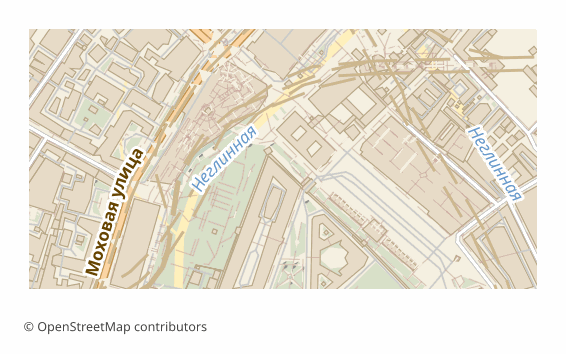
MIF formati haqida
MIF/MID is MapInfo's text interchange format: geometry and column definitions live in the .mif file, and the attribute values themselves in the .mid, line by line. The format is documented and readable in an ordinary text editor, which is why it has been used for decades as a neutral go-between for GIS: MapInfo Pro, QGIS, Global Mapper and FME read it without plugins.
In Russia MIF/MID is still found in municipal and cadastral workflows: development, boundary and road network layers are accepted and issued in it. Exporting OSM into this format saves you from digitizing the base by hand — the data arrives right away in the shape the receiving side opens natively. InGeo takes MIF/MID through Import → MapInfo — that is the bridge into InGeo: we don't produce its native format, geomap or Panorama's SXF; Panorama GIS and Terra GIS read MIF/MID too.
The output is a ZIP archive: a pair of .mif and .mid files per layer plus a README.txt naming the coordinate system. The pairs must be kept together: without the .mid the layer opens with no attributes. Coordinates are in WGS84 (EPSG:4326) by default, and another projection can be chosen at export time. The files are built by the ogr2ogr utility in MapInfo File mode with an explicit FORMAT=MIF, and if a layer fails to convert it is honestly marked as failed — the service does not slip you a binary TAB under a .mif name.
MIF fayllarini qaysi dastur ochadi
Quyidagi dasturlar va ilovalar OSM2CDR’dan eksport qilingan MapInfo MIF/MID (.mif) fayllarini ochishi, tahrirlashi va ular bilan ishlashi mumkin:
Format specifications
- Open standard
- 2D only
- Lossless (no quality loss)
- Stores feature attributes
- Output: 2 files in archive
- MapInfo Interchange Format (.mif + .mid in ZIP). Documented text-based format. Opens in MapInfo Pro, QGIS.
MIF xaritalaridan kimlar foydalanadi
MIF ni qanday eksport qilish kerak
Eksportdan keyin qanday ochish kerak
- MapInfo Pro — File -> Open, file type "MapInfo Interchange (*.mif)"; the program picks up the paired .mid itself and offers to save the layer as a native TAB for further work.
- QGIS (free) — Layer -> Add Vector Layer -> pick the .mif. From there the layer can be styled and re-saved to SHP, GeoPackage or any other format.
- ogr2ogr (GDAL) — a one-off conversion without a GUI: ogr2ogr -f GPKG out.gpkg roads.mif builds the layer into a GeoPackage.
- Global Mapper or FME — if the MIF/MID has to be poured into someone else's data exchange pipeline with reprojection and field renaming.
- Before sending it to the client — unpack the whole archive: the .mif + .mid pair must sit in one folder, otherwise the attributes are lost.
MIF formatidagi mashhur xaritalar
MapInfo MIF/MID xarita eksportlarini oling
OpenStreetMap’dan professional MIF xaritalarini yuklab oling. Bir zumda yaratish, istalgan hudud.
Tez-tez beriladigan savollar
Aloqador formatlar
Tez-tez birga eksport qilinadi
Related Articles
MIF/MID (MapInfo Interchange) format: ASCII exchange since 1990 — OSM export for legacy GIS
MIF/MID from MapInfo Corp 1990: ASCII 2-file pair, REGION/PLINE/ARC geometry, GDAL MITAB, legacy GIS archives.
formatHow to open MIF/MID (MapInfo) and GML — or download the map in a familiar format
Got .mif/.mid or .gml files and not sure how to open them? QGIS and GDAL read them for free. And if the format is inconv
formatMapInfo TAB: Working with Maps in MapInfo Professional
MapInfo TAB format: file structure .tab/.dat/.map/.id, data import, CRS handling, and integration with professional GIS