
Adobe Photoshop PSD
Price before paymentPSD este formatul nativ Adobe Photoshop, cu suport pentru straturi. Harta este exportată cu straturi separate pentru drumuri, clădiri, apă și etichete. Ideal pentru design grafic și post-procesare.
OpenStreetMap data as of 5 October 2026 · 22 days ago
Caracteristici principale
Despre formatul PSD
PSD is the native format of Adobe Photoshop: a raster image split into layers with transparency. It is opened not only by Photoshop itself — Affinity Photo, GIMP, Krita and the browser-based Photopea read PSD with its layers and let you work with each of them separately.
A map is exported to PSD when it will be drawn on rather than calculated with: a poster, a cover, an infographic, a presentation background, an illustration for a publication. Layers let you recolor the water, mute the buildings, hide the labels and add your own — without touching the rest of the map.
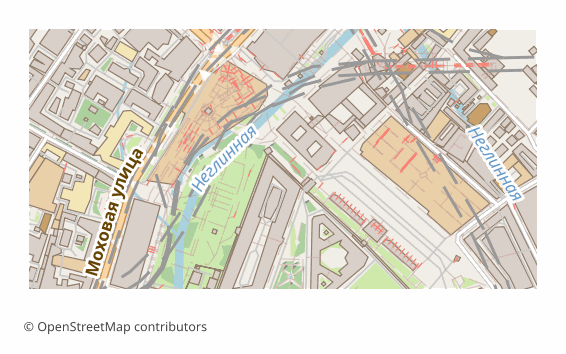
What is inside: five thematic layers, bottom to top — Water, Green areas (greenery and land use), Buildings, Roads (roads, rails, transport), Labels (captions and names). Each one is drawn on a transparent background, so the lower ones show through the upper ones. The sheet is 297x210 mm at 300 DPI by default, and the image side is capped at 6000 pixels so the file stays openable.
Worth knowing up front: the layers are raster — pixels, not editable vector outlines, so you cannot drag a node of a road. For vector editing take SVG or PDF. And one more thing: if the layer assembly library is unavailable on the server, you will get the same sheet as a single layer — the map is the same, it is just not split into layers.
Ce program deschide fișierele PSD
Următoarele programe și aplicații pot deschide, edita și prelucra fișiere Adobe Photoshop PSD (.psd) exportate din OSM2CDR:
Format specifications
- Proprietary format
- 2D only
- Lossless (no quality loss)
- No attributes
- Output: 1 file
- Adobe Photoshop .psd, layered raster. Each map layer rasterised to a separate Photoshop layer. Opens in Photoshop, GIMP, Affinity Photo.
Cine folosește hărțile PSD
Cum se exportă PSD
Cum se deschide fișierul după export
- Adobe Photoshop — File > Open; the Water, Green areas, Buildings, Roads and Labels layers will appear in the Layers panel, and each one can be recolored, hidden and blurred separately.
- Affinity Photo — opens PSD with layers natively, bought once and without a subscription.
- GIMP (free) — File > Open, the layer structure is preserved; saving back to PSD is done through File > Export As.
- Photopea — works right in the browser, its interface is close to Photoshop: drag the file into the window, nothing to install.
- If you need vector editing — download the same map as SVG or PDF: there roads and buildings stay curves, while in PSD they are already pixels.
Hărți populare în PSD
Obține exporturi de hărți Adobe Photoshop PSD
Descarcă hărți PSD profesionale din OpenStreetMap. Generare instantanee, orice zonă.
Întrebări frecvente
Formate înrudite
Exportate frecvent împreună
Related Articles
OpenStreetMap in Photoshop: a map in PSD with layers, not a screenshot
A map screenshot in Photoshop isn't editable — roads, water and buildings are flattened into one raster. The fix: downlo
formatPSD (Photoshop Document) format: cartographic editorial — OSM export for print graphics
PSD from Adobe 1990: layered raster, blend modes, smart objects, .psd vs .psb, cartographic editorial pipeline.
tutorialMaps in Photoshop: Creating Art Posters from OpenStreetMap
How to create an art poster from an OSM map in Photoshop. PSD import with layers, color grading, effects, and A3/A2 prin