
PostScript (.ps)
Preço antes do pagamento.ps · application/postscript
PostScript (.ps) é uma linguagem de descrição de páginas da Adobe, predecessora do PDF. Um padrão de pré-impressão e arquivo para edição científica, suportado por milhares de impressoras e servidores RIP. Ideal para o pipeline LaTeX (dvips → ps2pdf) e para manter composições vetoriais de mapas editáveis em arquivos de longo prazo.
Dados do OpenStreetMap de 5 de outubro de 2026 · há 22 dias
Exportar PostScript agora
✨ Beta Aberta — gratuito, sem limites
Principais características
✓PostScript Nível 2/3, sem perdas
✓Gráficos puramente vetoriais
✓Compatível com distribuições LaTeX
✓Converte para PDF/EPS/SVG com ferramentas CLI padrão
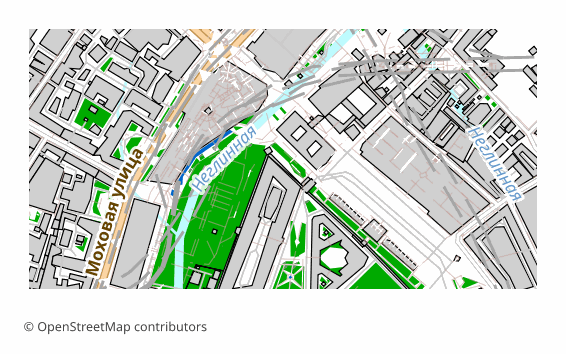
Todos os exemplos de mapas por formato
Que programa abre ficheiros PostScript
Os seguintes programas e aplicações podem abrir, editar e trabalhar com ficheiros PostScript (.ps) (.ps) exportados do OSM2CDR:
Adobe Distiller
Ghostscript
GSview
LaTeX/dvips
Inkscape (export)
CorelDRAW
Características do formato
- Padrão aberto
- Apenas 2D
- Sem perda de qualidade
- Sem atributos
- Resultado: 1 arquivo
Quem utiliza mapas PostScript
Pré-impressão e servidores RIP
Publicação científica (LaTeX/dvips)
Mapas de arquivo em forma vetorial editável
Impressão em impressoras PostScript
Conversão para PDF via ps2pdf/Distiller
Como exportar para PostScript
1
Selecionar área
Desenhe um retângulo ou polígono no mapa interativo em osm2cdr.ru
2
Escolher PostScript
Selecione PostScript (.ps) na lista de 127 formatos de exportação disponíveis
3
Exportar
Clique em Exportar e receba o seu ficheiro .ps em 1-5 minutos
4
Descarregar
Descarregue o ficheiro PostScript pronto e abra-o no Adobe Distiller
Mapas populares em PostScript
Free
Obtenha exportações de mapas em PostScript (.ps)
Descarregue mapas profissionais em PostScript a partir do OpenStreetMap. Geração instantânea, qualquer área.
Gratuito / exportação
Exportar PostScript agora →
Perguntas frequentes
Em que difere o PS do EPS? ▼
Posso abrir .ps no Windows sem o Adobe Reader? ▼
O PostScript está obsoleto? ▼
As camadas são preservadas no .ps? ▼