
OsmAnd OBF
Price before paymentOsmAnd OBF er offline-kartformatet for mobilappen OsmAnd (Android/iOS). Det inneholder vektorkart, POI, adresser og et transportnett for offline navigasjon. Filen lastes inn i OsmAnd via en filbehandler.
OpenStreetMap data as of 26 October 2026 · 8 days ago
Hovedfunksjoner
Om OsmAnd OBF-formatet
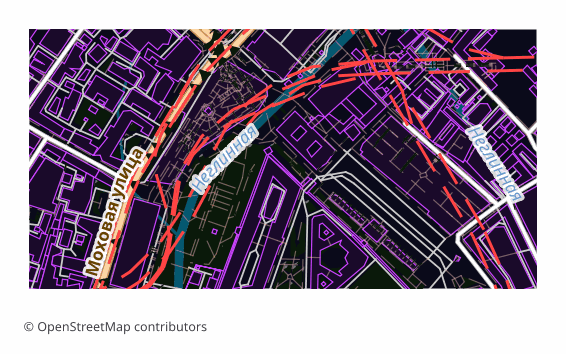
OBF is the offline map format of the OsmAnd app (Android and iOS). A single binary file holds a vector map, a routing graph, an address index and a points-of-interest database, packed so that the phone draws and searches through them quickly without internet.
The export is chosen when OsmAnd's built-in maps are not enough or you need exactly your own area: a hike into a region with no signal, a trip abroad, field work. Unlike a raster offline layer, a vector map in OsmAnd switches display themes, builds routes and searches addresses right on the device.
The file is built on the server with OsmAnd's own toolchain: the layers are exported into an intermediate format, and then OsmAndMapCreator (Java) builds an .obf out of them with map, routing, address and points-of-interest indexes. The finished file is copied into the app's folder and appears in the map list alongside the official ones — the quality of routing then depends on how complete the road data is in the selected area.
Hvilket program åpner OsmAnd OBF-filer
Følgende programmer og applikasjoner kan åpne, redigere og arbeide med OsmAnd OBF (.obf)-filer eksportert fra OSM2CDR:
Format specifications
- Open standard
- 2D only
- Lossless (no quality loss)
- Stores feature attributes
- Output: 1 file
- OsmAnd Binary File (.obf, open spec). Offline maps for OsmAnd app on Android/iOS with routing graph + POIs.
Hvem bruker OsmAnd OBF-kart
Slik eksporterer du OsmAnd OBF
Slik åpner du filen etter eksporten
- OsmAnd on Android — copy the .obf into the app's maps folder (OsmAnd/files) with a file manager or a cable and restart the program: the map appears in the list.
- OsmAnd on any platform — a second route with no folder fiddling: open the file through "Share" or the built-in import under "My Places" and confirm installing the map.
- OsmAnd on iOS — hand the file to the app through "Files" or "Open in...": the iOS version imports .obf the same way.
- Checking it — in the "Configure map" menu and in search: if the map is in place, the area is drawn as vector data and search starts finding addresses and points of interest from the export.
- OsmAndMapCreator on a computer — if you like, open the .obf and see what is inside before moving it to the phone.
Populære kart i OsmAnd OBF
Få karteksporter i OsmAnd OBF
Last ned profesjonelle OsmAnd OBF-kart fra OpenStreetMap. Umiddelbar generering, uansett område.
Ofte stilte spørsmål
Relaterte formater
Ofte eksportert sammen
Related Articles
OsmAnd OBF — Binary Format for Offline Navigation on Android and iOS
OsmAnd OBF is the proprietary binary format for OsmAnd Maps & Navigation: multi-zoom indexing, routing graph, POI; stand
guideOSM maps for Navitel — and what to download for Garmin, OsmAnd, TomTom
Need OSM maps for Navitel? Honestly: we don't produce the native .nm7, but Navitel imports GPX — we show the steps. Plus
guideOffline Maps for Smartphone: OsmAnd, Organic Maps, Maps.me
How to prepare and load offline maps for travel without internet. OsmAnd, Organic Maps, Maps.me comparison — which to ch