
OsmAnd OBF
Open BetaOsmAnd OBF हे OsmAnd मोबाइल अॅप (Android/iOS) साठीचे ऑफलाइन नकाशा स्वरूप आहे. ऑफलाइन नेव्हिगेशनसाठी त्यात व्हेक्टर नकाशे, POI, पत्ते आणि वाहतूक जाळे असते. फाईल फाईल मॅनेजरद्वारे OsmAnd मध्ये लोड केली जाते.
मुख्य वैशिष्ट्ये
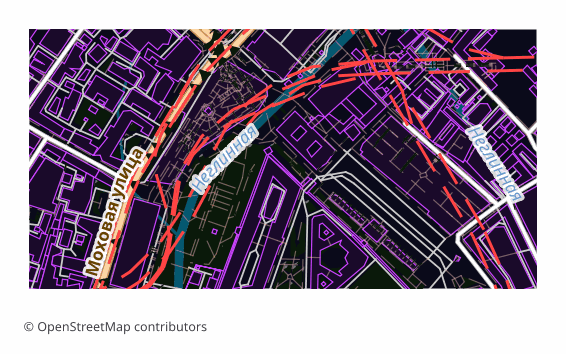
OsmAnd OBF स्वरूपाबद्दल
OBF is the offline map format of the OsmAnd app (Android and iOS). A single binary file holds a vector map, a routing graph, an address index and a points-of-interest database, packed so that the phone draws and searches through them quickly without internet.
The export is chosen when OsmAnd's built-in maps are not enough or you need exactly your own area: a hike into a region with no signal, a trip abroad, field work. Unlike a raster offline layer, a vector map in OsmAnd switches display themes, builds routes and searches addresses right on the device.
The file is built on the server with OsmAnd's own toolchain: the layers are exported into an intermediate format, and then OsmAndMapCreator (Java) builds an .obf out of them with map, routing, address and points-of-interest indexes. The finished file is copied into the app's folder and appears in the map list alongside the official ones — the quality of routing then depends on how complete the road data is in the selected area.
OsmAnd OBF फाइल्स कोणता कार्यक्रम उघडतो
खालील कार्यक्रम आणि अनुप्रयोग OSM2CDR मधून निर्यात केलेल्या OsmAnd OBF (.obf) फाइल्स उघडू, संपादित करू आणि त्यांवर काम करू शकतात:
Format specifications
- Open standard
- 2D only
- Lossless (no quality loss)
- Stores feature attributes
- Output: 1 file
- OsmAnd Binary File (.obf, open spec). Offline maps for OsmAnd app on Android/iOS with routing graph + POIs.
OsmAnd OBF नकाशे कोण वापरतो
OsmAnd OBF कसे निर्यात करावे
निर्यातीनंतर कसे उघडावे
- OsmAnd on Android — copy the .obf into the app's maps folder (OsmAnd/files) with a file manager or a cable and restart the program: the map appears in the list.
- OsmAnd on any platform — a second route with no folder fiddling: open the file through "Share" or the built-in import under "My Places" and confirm installing the map.
- OsmAnd on iOS — hand the file to the app through "Files" or "Open in...": the iOS version imports .obf the same way.
- Checking it — in the "Configure map" menu and in search: if the map is in place, the area is drawn as vector data and search starts finding addresses and points of interest from the export.
- OsmAndMapCreator on a computer — if you like, open the .obf and see what is inside before moving it to the phone.
OsmAnd OBF मधील लोकप्रिय नकाशे
OsmAnd OBF नकाशा निर्यात मिळवा
OpenStreetMap मधून व्यावसायिक OsmAnd OBF नकाशे डाउनलोड करा. तत्काळ निर्मिती, कोणतेही क्षेत्र.
वारंवार विचारले जाणारे प्रश्न
संबंधित स्वरूप
वारंवार एकत्र निर्यात केले जाणारे
Related Articles
OSM maps for Navitel — and what to download for Garmin, OsmAnd, TomTom
Need OSM maps for Navitel? Honestly: we don't produce the native .nm7, but Navitel imports GPX — we show the steps. Plus
guideOffline Maps for Smartphone: OsmAnd, Organic Maps, Maps.me
How to prepare and load offline maps for travel without internet. OsmAnd, Organic Maps, Maps.me comparison — which to ch
formatOsmAnd OBF — Binary Format for Offline Navigation on Android and iOS
OsmAnd OBF is the proprietary binary format for OsmAnd Maps & Navigation: multi-zoom indexing, routing graph, POI; stand