
VRML (Virtual Reality Modeling Language)
Price before paymentEksportuokite 3D pastatus į VRML 2.0 (.wrl) – klasikinį virtualiosios realybės formatą. Palaiko medžiagas su spalvomis. Suderinamas su dauguma 3D redaktorių.
OpenStreetMap data as of 5 October 2026 · 26 days ago
Pagrindinės savybės
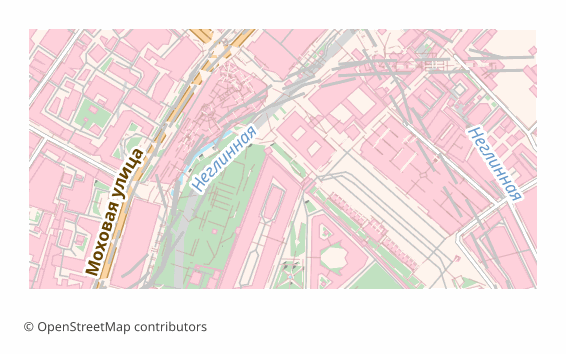
Apie VRML formatą
VRML is a text format for describing three-dimensional scenes, standardized by ISO in 1997. It is older than almost all modern 3D, but it has stayed on in scientific visualization, in CAD toolchains and in training courses: a .wrl file is readable by eye, editable in a text editor and drags no binary dependencies along.
A map is exported to VRML when the receiving side is an old viewer, a lab installation or a program that understands nothing newer. It also makes convenient teaching material: a student sees how a scene is arranged right in the text of the file.
The output is a single .wrl following the VRML97 specification: buildings are extruded into volume, each is assigned a material colored by type of development, and a ground plane lies under the scene. Height is taken from the height tag, otherwise from the number of floors at 3 meters per floor, otherwise from a typical height for that type of building, and as a last resort — 9 meters.
The limits are stated honestly: there are no textures and no animation, roofs are flat, the total number of vertices is capped at five million, and the export area at 1500 km². For the web and modern engines glTF suits better; VRML is taken precisely for compatibility with old software.
Kokia programa atidaro VRML failus
Šios programos gali atidaryti, redaguoti VRML (Virtual Reality Modeling Language) (.wrl) failus, eksportuotus iš OSM2CDR, ir dirbti su jais:
Format specifications
- Open standard
- 3D coordinates supported
- Lossless (no quality loss)
- Stores feature attributes
- Output: 1 file
- VRML 2.0 / .wrl (ISO/IEC 14772). Legacy text-based 3D scene graph. Opens in BS Contact, Cortona3D, view3dscene. The ground under buildings is flat (z = 0): terrain is not applied — use the separate Terrain Mesh format for relief.
Kas naudoja VRML žemėlapius
Kaip eksportuoti VRML
Kaip atidaryti po eksporto
- view3dscene — the simplest way to open a .wrl, spin the scene around and convert it to X3D or glTF while you are at it.
- FreeWRL and InstantPlayer — the classic VRML and X3D viewers, if you need to navigate the scene the way it was done on old installations.
- Blender — enable the Web3D X3D/VRML2 add-on in the preferences and import the .wrl; if your version does not have it, first convert the file to X3D or glTF with view3dscene.
- ParaView — opens .wrl as geometry for scientific visualization; handy when the city goes underneath computed fields.
- Checking the size — the file is text and grows fast: if the scene opens slowly, reduce the area or take glTF.
Populiarūs VRML formato žemėlapiai
Gaukite VRML (Virtual Reality Modeling Language) žemėlapių eksportą
Atsisiųskite profesionalius VRML žemėlapius iš OpenStreetMap. Momentinis generavimas, bet kuri sritis.