
KOMPAS (flat 2D DXF drawing)
Price before paymentCDW è il formato nativo del sistema CAD russo KOMPAS-3D. Il nostro servizio converte i dati di OpenStreetMap in un file con livelli separati per strade, edifici, corpi idrici e infrastrutture. Il risultato si apre in KOMPAS-3D, KOMPAS-Graphic e strumenti CAD compatibili.
OpenStreetMap data as of 5 October 2026 · 27 days ago
Caratteristiche principali
Informazioni sul formato KOMPAS
KOMPAS-3D is a Russian CAD system by ASCON, the de facto standard in domestic mechanical engineering and design: it is what people draft with at plants and what universities teach. An OpenStreetMap map is needed there as a base plan — the context of the site, the streets and buildings around the object being designed.
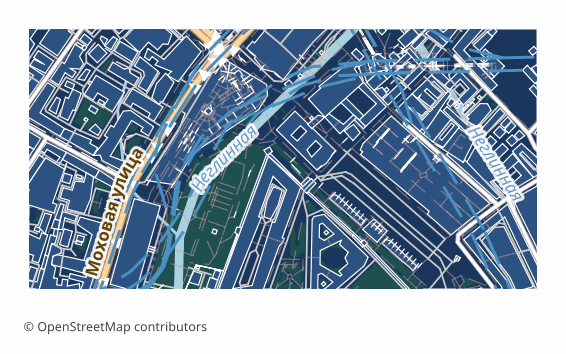
The export delivers a flat 2D DXF drawing prepared specifically for KOMPAS: lines, outlines and labels in plan, with no volume. Version R2007 and newer with UTF-8 encoding, so Russian layer names and labels read without corruption, the units are metric, and the layers are named in Russian. KOMPAS opens such a file with its standard command and saves it into its own .cdw or .frw in one step — the content of the drawing does not change in the process.
The map is laid out across layers: roads, buildings, water, vegetation, points of interest, boundaries. The ones you do not need are switched off in the layer manager, and the rest stay as a base plan on top of which you do your own work. The geometry is vector — it can be measured, snapped to and built upon.
If a coordinate system was explicitly chosen at export time, a ZIP arrives along with the drawing: the file itself and a .prj describing the projection — so the georeferencing is visible to GIS tools as well. Without an explicit choice, a single drawing file is delivered.
Quale programma apre i file KOMPAS
I seguenti programmi e applicazioni possono aprire, modificare ed elaborare i file KOMPAS (flat 2D DXF drawing) (.dxf) esportati da OSM2CDR:
Format specifications
- Proprietary format
- 2D only
- Lossless (no quality loss)
- Stores feature attributes
- Output: 1 file
- A flat 2D DXF R2007+ (UTF-8) drawing with no volume, for KOMPAS-Graphic / KOMPAS-3D: metric units, CAD layer structure, Cyrillic labels. KOMPAS opens it as a drawing and saves it as native .cdw / .frw itself.
Chi usa le mappe KOMPAS
Come esportare in KOMPAS
Come aprire il file dopo l'esportazione
- KOMPAS-Graphic or KOMPAS-3D, including LT and Home — File → Open, pick the DXF file (it opens as a drawing); in the import dialog keep the metric units, then Save As .cdw or .frw.
- Checking the layers — in the document manager switch off everything unnecessary, leaving only the base plan you need, and lock it against accidental edits.
- Inserting into your own drawing — rather than copying the objects, it is handier to insert the map as an external fragment so it does not mix with your geometry.
- If labels display incorrectly — make sure the file is opened as DXF version R2007 or newer: that is the version that stores text in UTF-8.
- nanoCAD, AutoCAD and other CAD systems — the same file opens in them too, if the project is not run in KOMPAS alone.
Mappe popolari in KOMPAS
Ottieni esportazioni di mappe in KOMPAS (flat 2D DXF drawing)
Scarica mappe KOMPAS professionali da OpenStreetMap. Generazione istantanea, qualsiasi area.
Domande frequenti
Formati correlati
Esportati spesso insieme
Related Articles
KOMPAS (ASCON) format: Russian CAD standard ESKD — OSM export for import substitution
KOMPAS-3D and KOMPAS-Graph by ASCON: ESKD standards, .frw/.m3d/.a3d, SolidWorks/AutoCAD substitution, OSM pipeline.
comparisonWhich Map Format to Choose for CAD Import: AutoCAD, BricsCAD, KOMPAS, ArchiCAD
Decision tree for choosing an OSM map format for any CAD import: AutoCAD, nanoCAD, KOMPAS-3D, ArchiCAD, Revit, FreeCAD.
tutorialExporting Maps to KOMPAS-3D: Integrating OSM with Russian CAD Systems
Step-by-step workflow: exporting OpenStreetMap maps to DXF and importing into KOMPAS-3D. Site plans, surveying, and MSK