
OsmAnd OBF
Price before paymentOsmAnd OBF je format izvanmrežne karte za mobilnu aplikaciju OsmAnd (Android/iOS). Sadrži vektorske karte, POI, adrese i prometnu mrežu za izvanmrežnu navigaciju. Datoteka se učitava u OsmAnd putem upravitelja datotekama.
OpenStreetMap data as of 26 October 2026 · 8 days ago
Ključne značajke
O formatu OsmAnd OBF
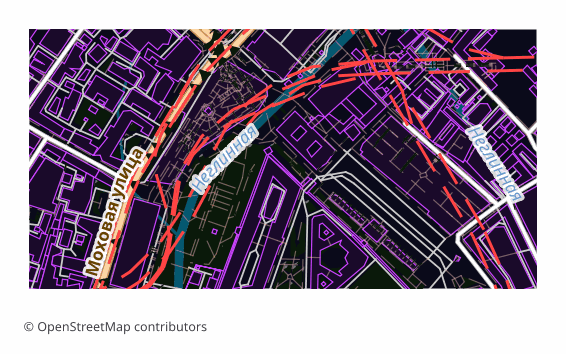
OBF is the offline map format of the OsmAnd app (Android and iOS). A single binary file holds a vector map, a routing graph, an address index and a points-of-interest database, packed so that the phone draws and searches through them quickly without internet.
The export is chosen when OsmAnd's built-in maps are not enough or you need exactly your own area: a hike into a region with no signal, a trip abroad, field work. Unlike a raster offline layer, a vector map in OsmAnd switches display themes, builds routes and searches addresses right on the device.
The file is built on the server with OsmAnd's own toolchain: the layers are exported into an intermediate format, and then OsmAndMapCreator (Java) builds an .obf out of them with map, routing, address and points-of-interest indexes. The finished file is copied into the app's folder and appears in the map list alongside the official ones — the quality of routing then depends on how complete the road data is in the selected area.
Koji program otvara datoteke OsmAnd OBF
Sljedeći programi i aplikacije mogu otvoriti, uređivati i raditi s datotekama OsmAnd OBF (.obf) izvezenima iz OSM2CDR-a:
Format specifications
- Open standard
- 2D only
- Lossless (no quality loss)
- Stores feature attributes
- Output: 1 file
- OsmAnd Binary File (.obf, open spec). Offline maps for OsmAnd app on Android/iOS with routing graph + POIs.
Tko koristi karte OsmAnd OBF
Kako izvesti OsmAnd OBF
Kako otvoriti nakon izvoza
- OsmAnd on Android — copy the .obf into the app's maps folder (OsmAnd/files) with a file manager or a cable and restart the program: the map appears in the list.
- OsmAnd on any platform — a second route with no folder fiddling: open the file through "Share" or the built-in import under "My Places" and confirm installing the map.
- OsmAnd on iOS — hand the file to the app through "Files" or "Open in...": the iOS version imports .obf the same way.
- Checking it — in the "Configure map" menu and in search: if the map is in place, the area is drawn as vector data and search starts finding addresses and points of interest from the export.
- OsmAndMapCreator on a computer — if you like, open the .obf and see what is inside before moving it to the phone.
Popularne karte u formatu OsmAnd OBF
Nabavite izvoze karata u formatu OsmAnd OBF
Preuzmite profesionalne karte u formatu OsmAnd OBF iz OpenStreetMapa. Trenutno generiranje, bilo koje područje.
Često postavljana pitanja
Povezani formati
Često se izvoze zajedno
Related Articles
OsmAnd OBF — Binary Format for Offline Navigation on Android and iOS
OsmAnd OBF is the proprietary binary format for OsmAnd Maps & Navigation: multi-zoom indexing, routing graph, POI; stand
guideOSM maps for Navitel — and what to download for Garmin, OsmAnd, TomTom
Need OSM maps for Navitel? Honestly: we don't produce the native .nm7, but Navitel imports GPX — we show the steps. Plus
guideOffline Maps for Smartphone: OsmAnd, Organic Maps, Maps.me
How to prepare and load offline maps for travel without internet. OsmAnd, Organic Maps, Maps.me comparison — which to ch