
KOMPAS (flat 2D DXF drawing)
Price before paymentCDW is het oorspronkelijke formaat van het Russische CAD-systeem KOMPAS-3D. Onze dienst zet OpenStreetMap-gegevens om in een bestand met afzonderlijke lagen voor wegen, gebouwen, waterpartijen en infrastructuur. Het resultaat opent in KOMPAS-3D, KOMPAS-Graphic en compatibele CAD-tools.
OpenStreetMap data as of 5 October 2026 · 25 days ago
Belangrijkste functies
Over het KOMPAS-formaat
KOMPAS-3D is a Russian CAD system by ASCON, the de facto standard in domestic mechanical engineering and design: it is what people draft with at plants and what universities teach. An OpenStreetMap map is needed there as a base plan — the context of the site, the streets and buildings around the object being designed.
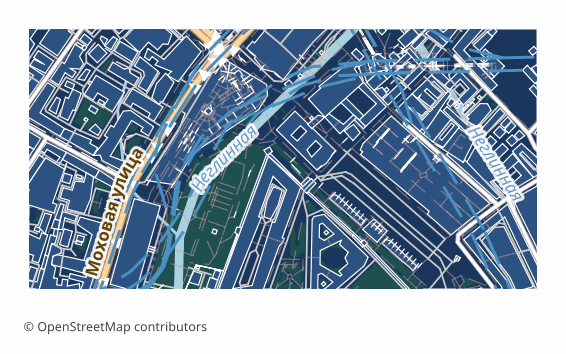
The export delivers a flat 2D DXF drawing prepared specifically for KOMPAS: lines, outlines and labels in plan, with no volume. Version R2007 and newer with UTF-8 encoding, so Russian layer names and labels read without corruption, the units are metric, and the layers are named in Russian. KOMPAS opens such a file with its standard command and saves it into its own .cdw or .frw in one step — the content of the drawing does not change in the process.
The map is laid out across layers: roads, buildings, water, vegetation, points of interest, boundaries. The ones you do not need are switched off in the layer manager, and the rest stay as a base plan on top of which you do your own work. The geometry is vector — it can be measured, snapped to and built upon.
If a coordinate system was explicitly chosen at export time, a ZIP arrives along with the drawing: the file itself and a .prj describing the projection — so the georeferencing is visible to GIS tools as well. Without an explicit choice, a single drawing file is delivered.
Welk programma opent KOMPAS-bestanden
De volgende programma's en toepassingen kunnen KOMPAS (flat 2D DXF drawing)-bestanden (.dxf) die uit OSM2CDR zijn geëxporteerd openen, bewerken en verwerken:
Format specifications
- Proprietary format
- 2D only
- Lossless (no quality loss)
- Stores feature attributes
- Output: 1 file
- A flat 2D DXF R2007+ (UTF-8) drawing with no volume, for KOMPAS-Graphic / KOMPAS-3D: metric units, CAD layer structure, Cyrillic labels. KOMPAS opens it as a drawing and saves it as native .cdw / .frw itself.
Wie gebruikt KOMPAS-kaarten
KOMPAS exporteren
Openen na de export
- KOMPAS-Graphic or KOMPAS-3D, including LT and Home — File → Open, pick the DXF file (it opens as a drawing); in the import dialog keep the metric units, then Save As .cdw or .frw.
- Checking the layers — in the document manager switch off everything unnecessary, leaving only the base plan you need, and lock it against accidental edits.
- Inserting into your own drawing — rather than copying the objects, it is handier to insert the map as an external fragment so it does not mix with your geometry.
- If labels display incorrectly — make sure the file is opened as DXF version R2007 or newer: that is the version that stores text in UTF-8.
- nanoCAD, AutoCAD and other CAD systems — the same file opens in them too, if the project is not run in KOMPAS alone.
Populaire kaarten in KOMPAS
Ontvang KOMPAS (flat 2D DXF drawing)-kaartexports
Download professionele KOMPAS-kaarten van OpenStreetMap. Directe generatie, elk gebied.
Veelgestelde vragen
Verwante formaten
Vaak samen geëxporteerd
Related Articles
KOMPAS (ASCON) format: Russian CAD standard ESKD — OSM export for import substitution
KOMPAS-3D and KOMPAS-Graph by ASCON: ESKD standards, .frw/.m3d/.a3d, SolidWorks/AutoCAD substitution, OSM pipeline.
comparisonWhich Map Format to Choose for CAD Import: AutoCAD, BricsCAD, KOMPAS, ArchiCAD
Decision tree for choosing an OSM map format for any CAD import: AutoCAD, nanoCAD, KOMPAS-3D, ArchiCAD, Revit, FreeCAD.
tutorialExporting Maps to KOMPAS-3D: Integrating OSM with Russian CAD Systems
Step-by-step workflow: exporting OpenStreetMap maps to DXF and importing into KOMPAS-3D. Site plans, surveying, and MSK