
Download Maršov map in KML format
A map built from OpenStreetMap data, ready to download
Customize the map
Open this place's area in the constructor and adjust everything to your needs
Open in constructor →Map passport
What this map contains by default
This is how the map is built as-is — every setting can be changed in the constructor.
.kmlAbout KML
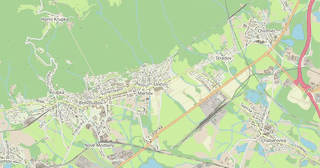
Map of Maršov in KML: 3 054 buildings, 53 km of roads, 126 points of interest, 100% green areas — in the WGS 84 coordinate system, units are meters.
Which layers are in the file
This file for the selected area contains:
- Roads
- Buildings
- Water
- Greenery
- Points of interest
What the file carries
The KML file for Maršov: the whole map comes as a single file, the file is plain text and opens in any editor, layers live inside the file as named entities, OpenStreetMap tags are kept as feature attributes.
File size
The expected size of the KML file for Maršov is about 4.5 MB; the exact size depends on the chosen layers and area.
KML file passport
Estimated from the place's OSM data; exact figures are in the file after the build.
- Layers: 16
- Road segments Placemark/LineString: ≈ 264 (estimated)
- Road length: 53 km
- Roads by class, km: residential 27, service 12, tertiary 6.8, secondary 3.3, primary 3.1
- Points Placemark/Point: 126
- Points by type: parking 33, pitch 17, information 9, parcel_locker 8, bench 7
- Area outlines Placemark/Polygon: ≈ 3 108
Losses: no routing graph — 53 km of roads are plain lines.
Build recipe: KML 2.2, WGS 84 (EPSG:4326), frame 2.8 × 4.4 km, simplification tolerance 22 m; layer → Folder, feature → Placemark with its own style.
Coordinate systems
WGS 84 (EPSG:4326), selectable in the wizard
| Category | GIS |
| File extension | .kml |
| Tier | Open Beta |
How many times KML was built in the last 90 days
- Maršov
- 0
- SO ORP Teplice
- 0
- Whole site
- 703
- Median file size
- 0.3 MB
- Median build time
- 1.5 s
Medians are based on all builds on the site
How to use KML for Maršov
- Google Earth Pro (free) — File → Open, pick the .kml; on the left the layers will show as folders that can be switched on and off.
- Google My Maps — create a map, choose Import and upload the file: you get a web map with a link to share.
- QGIS (free) — Layer → Add Vector Layer; KML is read by the driver that ships with GDAL, and from there the data converts to a shapefile or GeoPackage.
Programs that open KML
FAQ: KML for Maršov
What is the difference between KML and KMZ?
KMZ is a compressed KML in a ZIP archive. Content is identical but KMZ is smaller.
Can I open KML in QGIS?
Yes, QGIS fully supports KML.
Are feature attributes preserved?
Yes. OSM tags are written into the ExtendedData block: in Google Earth they show in the description window when you click a feature, and in QGIS in the attribute table.
Why are the buildings three-dimensional in Google Earth?
That is by design: building outlines are extruded to their height from the height tag, or by floor count at 3.5 meters per floor, and without tags a house gets six meters. Roads, water and greenery meanwhile stay pressed to the surface. If the volume gets in the way, switch off the buildings layer in the tree.
The file came out too large — what should I do?
KML is plain text, so a large area produces a hefty file and Google Earth starts to lag. Take KMZ (the same document, but compressed), reduce the area or export fewer layers.
Other formats for Maršov
All 128 formats for Maršov →
KML for nearby places

Maps other customers made in this format (KML)
Pardis
★★★★★
Syktyvkar
★★★★★
Syktyvkar
★★★★★