
LaTeX/TikZ (Academic Map)
Price before paymentOpenStreetMap xarita maʼlumotlarini ilmiy nashrlar uchun LaTeX/TikZ sifatida eksport qiling. Uslublar, shriftlar va yozuvlar ustidan toʻliq nazorat bilan LaTeX hujjatlari ichida bevosita vektor xaritalar yarating.
OpenStreetMap data as of 5 October 2026 · 24 days ago
Asosiy imkoniyatlar
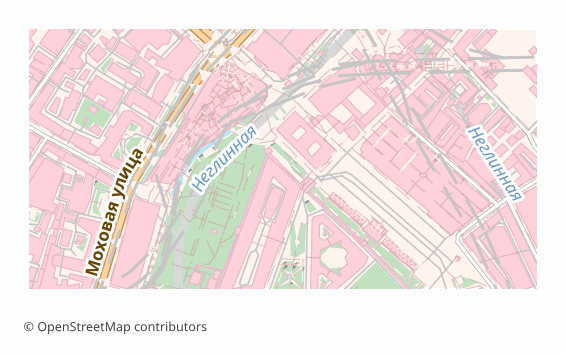
LaTeX/TikZ formati haqida
TikZ is a graphics language inside LaTeX: a drawing is described by commands right in the source, and the compiler turns them into vector graphics while building the document. For academic work that is convenient because the map lives inside the text rather than as a separate picture: the fonts are the same as in the article, the sizes do not drift, and an edit takes a second.
The export is needed when a map goes into an article, a dissertation or a poster: the journal demands vector, the reviewer asks to change a caption, and the figure has to be built together with the text. The resulting .tex is edited by hand — line widths, colors, label positions.
The file is a self-contained document of the standalone class with a single tikz package. Layer colors are declared through \definecolor, the geometry is written out as drawing commands onto a 15 × 10 cm canvas, and a scale bar with a caption in meters or kilometers is drawn in the lower left corner. Object labels are added as \node elements, no more than two hundred of them, so the document stays compilable.
For Cyrillic, inputenc with UTF-8 and fontenc with the T2A encoding are included; the most reliable way is to build the file with XeLaTeX or LuaLaTeX — they work with Unicode directly.
LaTeX/TikZ fayllarini qaysi dastur ochadi
Quyidagi dasturlar va ilovalar OSM2CDR’dan eksport qilingan LaTeX/TikZ (Academic Map) (.tex) fayllarini ochishi, tahrirlashi va ular bilan ishlashi mumkin:
Format specifications
- Open standard
- 2D only
- Lossless (no quality loss)
- No attributes
- Output: 1 file
- LaTeX TikZ source (.tex). Embed maps directly in scientific papers; compiles with pdflatex into print-quality vector PDF.
LaTeX/TikZ xaritalaridan kimlar foydalanadi
LaTeX/TikZ ni qanday eksport qilish kerak
Eksportdan keyin qanday ochish kerak
- Overleaf — create a project, upload the .tex and press Recompile; the tikz package is already there, and the compiler in the project settings is better switched to XeLaTeX or LuaLaTeX.
- TeXstudio, TeXShop, VS Code with LaTeX Workshop — open the file and build it locally; in full TeX Live and MiKTeX installations nothing extra has to be installed.
- Inserting into your own article — copy the block between \begin{tikzpicture} and \end{tikzpicture} into a figure environment, and move the \definecolor lines into the document preamble.
- Changing the look — colors are changed in \definecolor, line thickness in the line width parameter, and an unwanted layer is removed by deleting its block of commands.
- A PDF for the journal — the built standalone gives a PDF exactly the size of the figure, with no page margins; such a file is accepted as a vector illustration.
LaTeX/TikZ formatidagi mashhur xaritalar
LaTeX/TikZ (Academic Map) xarita eksportlarini oling
OpenStreetMap’dan professional LaTeX/TikZ xaritalarini yuklab oling. Bir zumda yaratish, istalgan hudud.