
TIFF (Tagged Image File Format)
Price before paymentTIFF — yoʻqotishsiz siqishga ega yuqori sifatli rastr format. Professional bosib chiqarish va xaritalarni arxiv saqlash uchun ideal. Yuqori aniqlik va CMYK ranglarini qoʻllab-quvvatlaydi.
OpenStreetMap data as of 5 October 2026 · 24 days ago
Asosiy imkoniyatlar
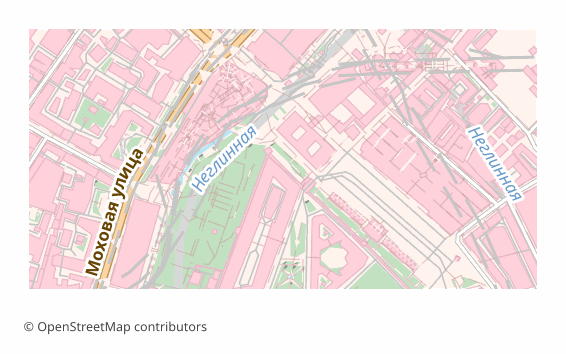
TIFF formati haqida
TIFF is a raster format that has stayed the working standard of print and archives since the 1980s: lossless compression, any image dimensions, support for high resolutions. It is opened by Photoshop, GIMP, Affinity Photo, the standard macOS viewer and just about any image editor.
A map is exported to TIFF when you need a final shot for printing or long-term storage: a poster for the wall, an illustration for a book, an appendix to a report. Unlike JPEG, TIFF loses no pixels when re-saved, so the file calmly survives several rounds of edits.
The output is a single .tiff rendered through QGIS at 300 DPI (the value can be changed at export time). This is an image and nothing more: layers, labels and objects are already flattened and cannot be edited. There is no georeferencing inside — if the map has to go into a GIS on top of other data, take GeoTIFF.
TIFF fayllarini qaysi dastur ochadi
Quyidagi dasturlar va ilovalar OSM2CDR’dan eksport qilingan TIFF (Tagged Image File Format) (.tiff) fayllarini ochishi, tahrirlashi va ular bilan ishlashi mumkin:
Format specifications
- Open standard
- 2D only
- Lossless (no quality loss)
- No attributes
- Output: 1 file
- TIFF 6.0 baseline (no georeferencing). For high-resolution print exports. Opens in Photoshop, GIMP, Lightroom.
TIFF xaritalaridan kimlar foydalanadi
TIFF ni qanday eksport qilish kerak
Eksportdan keyin qanday ochish kerak
- Photoshop and Affinity Photo — File → Open; check the size in pixels and the resolution, and for a print house convert the file to CMYK or simply download a CMYK TIFF from us.
- GIMP — opens TIFF with no plugins; handy for adding a caption, an inset or a frame before printing.
- InDesign, Word, LibreOffice — place it as an illustration; make sure the picture is not stretched beyond 100%, otherwise the effective resolution drops.
- The print house — check their requirements in advance: usually CMYK and 300 DPI at the final size are needed; an RGB file gets converted by the printer itself and the color may drift.
- QGIS — if georeferencing turns out to be needed, a TIFF can be referenced by hand (Raster → Georeferencer), or the map can be re-downloaded as GeoTIFF.
TIFF formatidagi mashhur xaritalar
TIFF (Tagged Image File Format) xarita eksportlarini oling
OpenStreetMap’dan professional TIFF xaritalarini yuklab oling. Bir zumda yaratish, istalgan hudud.
Tez-tez beriladigan savollar
Aloqador formatlar
Tez-tez birga eksport qilinadi
Related Articles
TIFF — Aldus and Adobe Extensible Raster Format for Print and Archival
TIFF is a tag-based raster format from Aldus (1986, Adobe 1994): TIFF 6.0 (1992), multi-page, lossless LZW/Deflate, BigT
guideDownload a GeoTIFF by coordinates: a base map for exactly the area you need
How to download a GeoTIFF map by coordinates: what a georeferenced raster is, how to set the area bounds, choose a coord
usecaseMaps for Academic Papers: Standards and Formats
How to prepare maps for dissertations: scale, legends, PDF/SVG format, fonts. Step-by-step guide with examples for acade