
AVIF — AV1 Image File Format
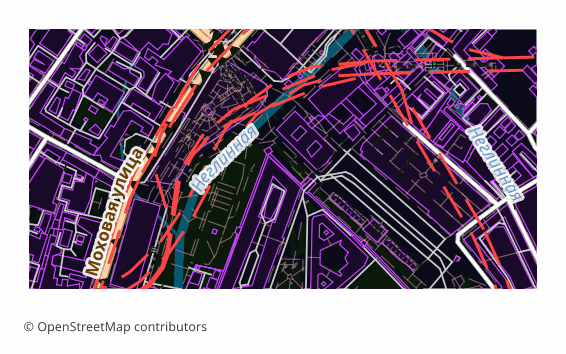
Price before paymentAVIF is a modern raster format built on a key frame of the AV1 video codec inside a HEIF container. On osm2cdr.ru the map is first rendered to PNG and then transcoded to AVIF via Pillow. At comparable visual quality the file is 30–50% lighter than WebP, which noticeably saves bandwidth for mobile users. It is a flat picture of the map, not editable layers: labels and outlines are baked into pixels. An order with “No background (transparent)” is honoured by AVIF: the alpha channel is carried into the file as a separate HEIF plane. A normal order is still flattened to RGB — that keeps the file smaller.
OpenStreetMap data as of 5 October 2026 · 26 days ago
Belangrijkste functies
Over het AVIF-formaat
AVIF is a raster format grown out of the AV1 video codec: the picture is encoded as a single key frame and packed into a HEIF container. At the same visual quality the file comes out noticeably lighter than JPEG and appreciably lighter than WebP, which directly saves traffic and speeds up page loading.
The format is chosen where the map is an image on a website: a district preview in a listing card, an article cover, an illustration in a guidebook, a picture for social media. The whole point is the weight: the same pixels reach a mobile user faster and cheaper.
The output is a single .avif file: the map is first rendered to PNG and then recompressed. This is a final picture, not layers — labels, roads and buildings are fixed in pixels and cannot be edited separately. Transparency is not preserved during conversion: the alpha channel is dropped and the background becomes opaque.
Welk programma opent AVIF-bestanden
De volgende programma's en toepassingen kunnen AVIF — AV1 Image File Format-bestanden (.avif) die uit OSM2CDR zijn geëxporteerd openen, bewerken en verwerken:
Format specifications
- Open standard
- 2D only
- Lossy compression
- No attributes
- Output: 1 file
- A single AVIF picture transcoded from PNG via Pillow (default quality 50); the alpha channel is dropped, so the background becomes opaque.
Wie gebruikt AVIF-kaarten
AVIF exporteren
Openen na de export
- A browser — recent versions of Chrome, Firefox, Edge and Safari open .avif with a double click; that is the fastest way to look at the result.
- A website — include the picture through a picture tag with a fallback in WebP or PNG, then old browsers and mail clients will show the map without a hitch.
- GIMP and ImageMagick — open and convert AVIF; magick map.avif map.png saves the day when the file has to go into a program without support for the format.
- Photoshop — works through a third-party AVIF plugin; if you would rather not install it, it is easier to download PNG from us.
- Printing — AVIF is not suitable for a print shop, take PDF or a high-resolution PNG.
Populaire kaarten in AVIF
Ontvang AVIF — AV1 Image File Format-kaartexports
Download professionele AVIF-kaarten van OpenStreetMap. Directe generatie, elk gebied.