
PostScript (.ps)
Price before paymentPostScript (.ps) არის Adobe-ის გვერდის აღწერის ენა, PDF-ის წინამორბედი. სტამბისწინა და საარქივო სტანდარტი სამეცნიერო გამოცემებისთვის, მხარდაჭერილი ათასობით პრინტერისა და RIP სერვერის მიერ. იდეალურია LaTeX პაიპლაინისთვის (dvips → ps2pdf) და ვექტორული რუკების რედაქტირებადი განლაგების გრძელვადიან არქივებში შესანახად.
OpenStreetMap data as of 26 October 2026 · 8 days ago
ძირითადი შესაძლებლობები
PostScript ფორმატის შესახებ
PostScript is a page description language invented by Adobe in the early 1980s; PDF grew directly out of it. A .ps file is, in essence, a small program executed by the interpreter inside a printer or a RIP server: it draws vector outlines, text and raster inserts. Level 3 is still understood by office and print-shop devices, and the free Ghostscript opens such a file on any operating system.
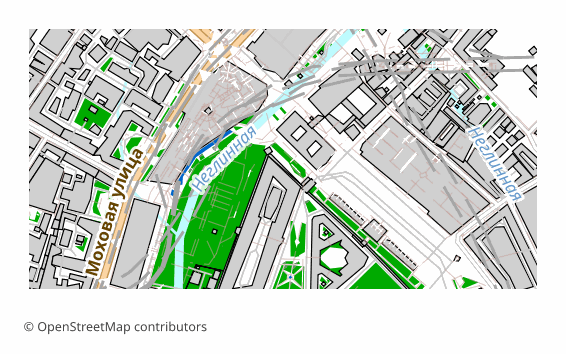
An OpenStreetMap map is exported to PostScript when the result goes into a printing or archival pipeline: hand it to a print shop, put it on a RIP, keep the layout in editable vector form for years ahead. For on-screen viewing the format is awkward — usually a .ps is first turned into a PDF with a single command.
Here is how the file is built on our side: QGIS draws the sheet in vector, the labels stay as text with embedded fonts, and then Ghostscript converts the result into PostScript Level 3 with a standard DSC structure. The sheet is 297x210 mm by default (A4 in landscape orientation), raster elements are 300 DPI. PostScript has no layers by the design of the format itself: the map arrives as a single stream of vector commands.
რომელი პროგრამა ხსნის PostScript ფაილებს
შემდეგ პროგრამებსა და აპლიკაციებს შეუძლიათ გახსნან, დაარედაქტირონ და იმუშაონ OSM2CDR-იდან ექსპორტირებულ PostScript (.ps) (.ps) ფაილებთან:
Format specifications
- Open standard
- 2D only
- Lossless (no quality loss)
- No attributes
- Output: 1 file
- PostScript Level 3. Page-description language for printers; open with Ghostscript or convert to PDF for viewing.
ვინ იყენებს PostScript რუკებს
როგორ გავაკეთოთ PostScript-ის ექსპორტი
როგორ გავხსნათ ექსპორტის შემდეგ
- Ghostscript (free) — both viewing and conversion: ps2pdf map.ps map.pdf gives you a PDF, and calling gs with -r300 rasterizes the sheet at the resolution you need.
- GSview on Windows or Evince on Linux — open the .ps directly and look at the page without converting it.
- Adobe Distiller — the regular prepress route: PostScript in, PDF with font and color control out.
- A print shop or a RIP server — the file is handed over as is; agree on the sheet size and margins in advance, otherwise the map will be trimmed at the edge.
- LaTeX — for pdflatex convert the file to PDF with ps2pdf and insert it with the usual includegraphics; in the classic latex + dvips pipeline EPS is more common for illustrations, and you can download that from us too.
პოპულარული რუკები PostScript-ში
მიიღეთ PostScript (.ps) რუკების ექსპორტი
ჩამოტვირთეთ პროფესიული PostScript რუკები OpenStreetMap-იდან. მყისიერი გენერაცია, ნებისმიერი არე.