
PostScript (.ps)
Price before paymentA PostScript (.ps) az Adobe oldalleíró nyelve, a PDF elődje. Nyomdai előkészítési és archiválási szabvány a tudományos kiadáshoz, amelyet több ezer nyomtató és RIP-szerver támogat. Ideális a LaTeX-folyamathoz (dvips → ps2pdf) és a szerkeszthető vektoros térképelrendezések hosszú távú archiválásához.
OpenStreetMap data as of 5 October 2026 · 22 days ago
Fő jellemzők
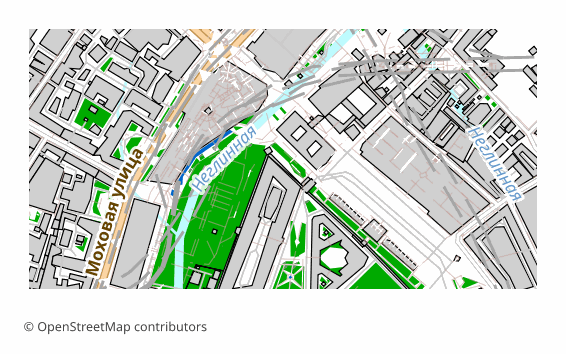
A(z) PostScript formátumról
PostScript is a page description language invented by Adobe in the early 1980s; PDF grew directly out of it. A .ps file is, in essence, a small program executed by the interpreter inside a printer or a RIP server: it draws vector outlines, text and raster inserts. Level 3 is still understood by office and print-shop devices, and the free Ghostscript opens such a file on any operating system.
An OpenStreetMap map is exported to PostScript when the result goes into a printing or archival pipeline: hand it to a print shop, put it on a RIP, keep the layout in editable vector form for years ahead. For on-screen viewing the format is awkward — usually a .ps is first turned into a PDF with a single command.
Here is how the file is built on our side: QGIS draws the sheet in vector, the labels stay as text with embedded fonts, and then Ghostscript converts the result into PostScript Level 3 with a standard DSC structure. The sheet is 297x210 mm by default (A4 in landscape orientation), raster elements are 300 DPI. PostScript has no layers by the design of the format itself: the map arrives as a single stream of vector commands.
Milyen program nyitja meg a(z) PostScript fájlokat
A következő programok és alkalmazások képesek megnyitni, szerkeszteni és kezelni az OSM2CDR-ből exportált PostScript (.ps) (.ps) fájlokat:
Format specifications
- Open standard
- 2D only
- Lossless (no quality loss)
- No attributes
- Output: 1 file
- PostScript Level 3. Page-description language for printers; open with Ghostscript or convert to PDF for viewing.
Ki használ PostScript térképeket
Hogyan exportáljon PostScript formátumba
Hogyan nyissa meg az exportálás után
- Ghostscript (free) — both viewing and conversion: ps2pdf map.ps map.pdf gives you a PDF, and calling gs with -r300 rasterizes the sheet at the resolution you need.
- GSview on Windows or Evince on Linux — open the .ps directly and look at the page without converting it.
- Adobe Distiller — the regular prepress route: PostScript in, PDF with font and color control out.
- A print shop or a RIP server — the file is handed over as is; agree on the sheet size and margins in advance, otherwise the map will be trimmed at the edge.
- LaTeX — for pdflatex convert the file to PDF with ps2pdf and insert it with the usual includegraphics; in the classic latex + dvips pipeline EPS is more common for illustrations, and you can download that from us too.
Népszerű térképek PostScript formátumban
Szerezzen be PostScript (.ps) térképexportokat
Töltsön le professzionális PostScript térképeket az OpenStreetMap adataiból. Azonnali generálás, bármilyen terület.