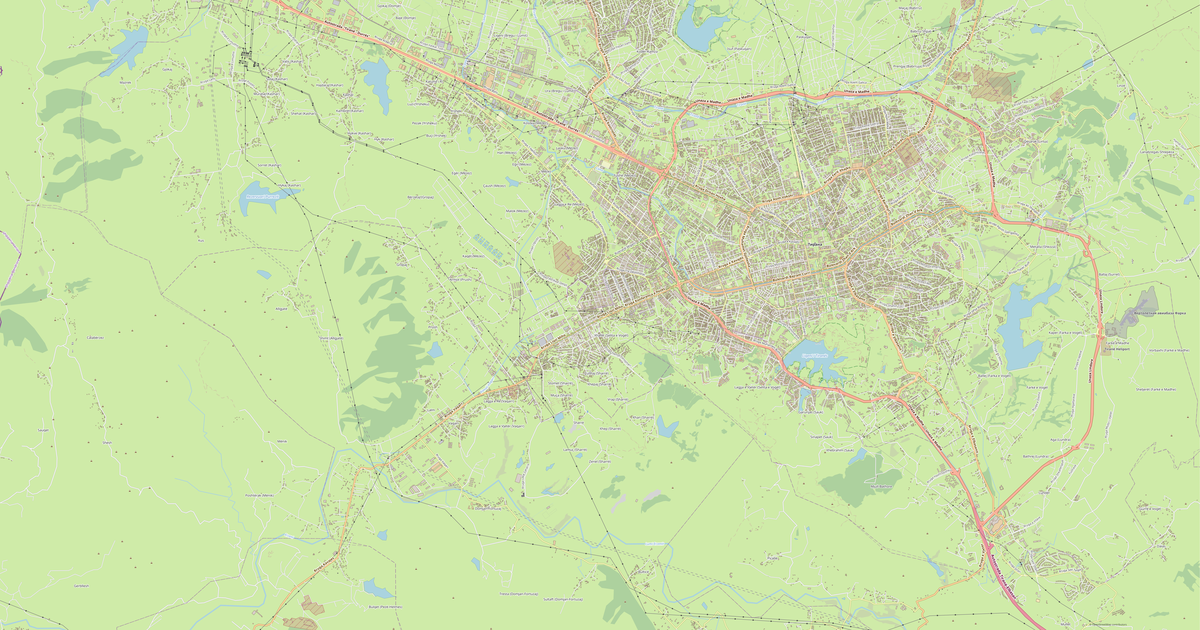
Map of Bathore in AI format
Peta yang dibangun dari data OpenStreetMap, siap diunduh
Sesuaikan peta untuk Anda
Buka area tempat ini di konstruktor dan sesuaikan semuanya dengan kebutuhan Anda
Buka di konstruktor →Informasi peta
Apa isi peta ini secara default
Beginilah peta dibangun «apa adanya» — setiap pengaturan dapat diubah di konstruktor.
.ai
Tentang AI
Peta Bathore dalam format AI — ekspor data OpenStreetMap nyata untuk area yang dipilih.
Native Adobe Illustrator format — the leading vector graphics editor. Preserves layers, color profiles, and effects for professional cartographic design work.
Lapisan apa saja yang ada di file
File ini untuk area yang dipilih berisi:
- Jalan
- Bangunan
- Penghijauan
- Titik menarik
Sistem koordinat
WGS 84 (EPSG:4326), dapat dipilih di wizard
Kompatibilitas
Satuan ukuran
Meter (diproyeksikan dalam sistem koordinat yang dipilih)
| Kategori | Vector |
| Ekstensi file | .ai |
| Tingkat | Gratis |
What's in the AI map of Bathore
2,510 buildings (7 residential, 1 commercial), 44.8 km of roads, 32 points of interest, 1 landmarks.
The area covers 1.5 km², with about 1,682 buildings per km².
Mostly residential streets 26.3 km, tertiary roads 9.2 km, service roads 3.9 km.
1.3% of the area is green space.
Key amenities: schools — 1, kindergartens — 1, dentists — 1.
Public transport: 5 bus stops.
Adobe Illustrator file with 2,510 buildings and 32 objects. Full layered structure for design.
Main streets: Bulevard Ramush Haradinaj, Rruga Demokracia, Rruga Azem Hajdari, Rruga Shën Gjon Pali II, Rruga Arjan Sala
Landmarks: Xhamia e lagjes Bathore
Cara menggunakan AI untuk Bathore
- Pilih area peta Bathore di halaman utama
- Pilih format AI dan atur opsi ekspor
- Klik «Ekspor» dan tunggu hingga selesai
- Unduh file yang sudah siap dan gunakan di aplikasi Anda