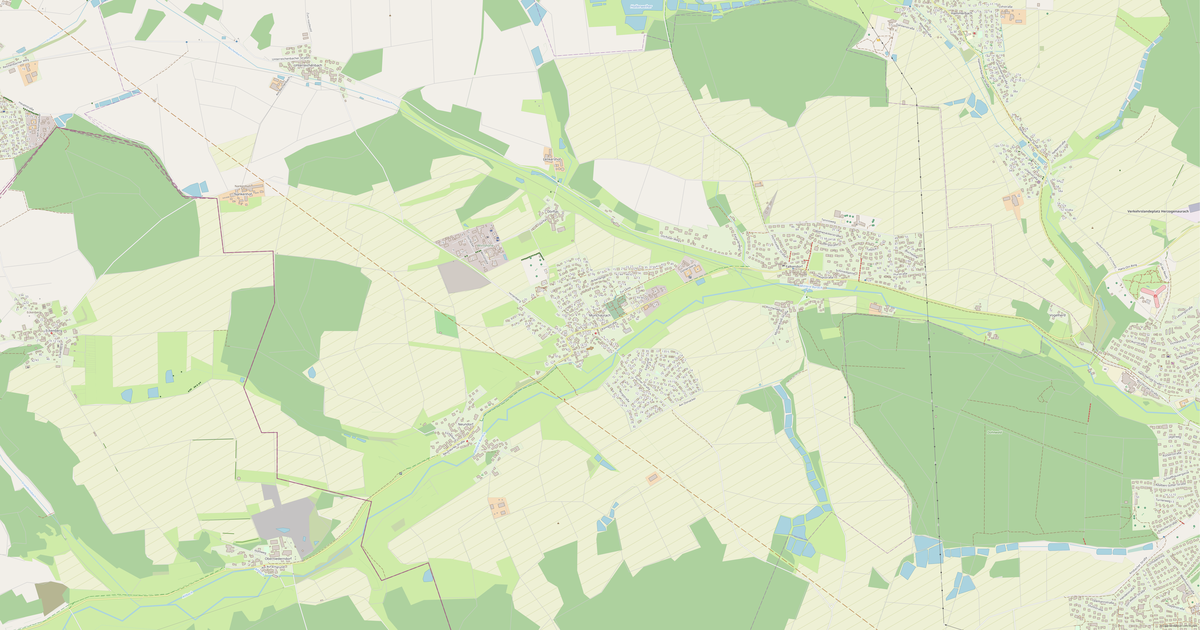
Map of Forth in JEF Embroidery format
OpenStreetMap ડેટામાંથી બનેલો નકશો, ડાઉનલોડ માટે તૈયાર
નકશો કસ્ટમાઇઝ કરો
આ સ્થળનો વિસ્તાર કન્સ્ટ્રક્ટરમાં ખોલો અને બધું તમારી જરૂરિયાત પ્રમાણે ગોઠવો
કન્સ્ટ્રક્ટરમાં ખોલો →નકશા પાસપોર્ટ
આ નકશામાં મૂળભૂત રીતે શું છે
આ રીતે નકશો "જેવો છે તેવો" બને છે — દરેક સેટિંગ કન્સ્ટ્રક્ટરમાં બદલી શકાય છે.

JEF Embroidery વિશે
Forth નો નકશો JEF Embroidery માં — પસંદ કરેલા વિસ્તાર માટે વાસ્તવિક OpenStreetMap ડેટાની નિકાસ.
JEF is the Janome embroidery machine format. Supports Janome color palettes and thread trimming between elements.
ફાઇલમાં કયા સ્તરો છે
પસંદ કરેલા વિસ્તાર માટે આ ફાઇલમાં સમાવિષ્ટ છે:
- રસ્તાઓ
- ઇમારતો
- પાણી
- હરિયાળી
- રસપ્રદ સ્થળો
નિર્દેશાંક પ્રણાલી
WGS 84 (EPSG:4326), વિઝાર્ડમાં પસંદ કરી શકાય
સુસંગતતા
એકમો
મીટર (પસંદ કરેલી નિર્દેશાંક પ્રણાલીમાં પ્રક્ષેપિત)
| શ્રેણી | GIS |
| ફાઇલ એક્સટેન્શન | .jef |
| સ્તર | Open Beta |
What's in the JEF Embroidery map of Forth
743 buildings (115 residential, 4 commercial, 4 industrial, 2 religious), 16.8 km of roads, 56 points of interest, 3 landmarks.
The area covers 1.3 km², with about 576 buildings per km².
Mostly residential streets 8.0 km, service roads 3.3 km, tertiary roads 1.6 km.
73.3% of the area is green space.
The map marks 1 water bodies.
Key amenities: schools — 1, kindergartens — 3, doctors — 2.
Public transport: 13 bus stops, 1 tram stops, 1 rail stations.
Main streets: Forther Hauptstraße, Gotzmannstraße, Goethestraße, Kolpingstraße, Martin-Luther-Straße
Landmarks: Büger Schloss, Kreuzerhöhung, St. Anna-Kirche
Forth માટે JEF Embroidery કેવી રીતે વાપરવું
- મુખ્ય પૃષ્ઠ પર Forth નકશા વિસ્તાર પસંદ કરો
- JEF Embroidery ફોર્મેટ પસંદ કરો અને નિકાસ સેટિંગ્સ ગોઠવો
- નિકાસ પર ક્લિક કરો અને પ્રક્રિયાની રાહ જુઓ
- ફાઇલ ડાઉનલોડ કરો અને તમારી એપ્લિકેશનમાં વાપરો